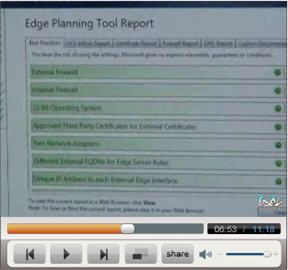
With Microsoft OCS R2's pending release, I thought you'd be interested in seeing a video interview of Microsoft's Ananad Lakshminarayanan about some of the new features in Office Communications Server R2, which is Microsoft's popular unified communications platform. In the video you'll see some of the IT Admin specific features in OCS R2, which includes an OCS architecture planner to make OCS much easier to deploy. Essentially, it includes a wizard that you provide with your locations, users, and feature requirements and it spits out a detailed Visio style architecture for you, including recommendations for number of servers and locations, as well as bandwidth requirements. The wizard will even list out all the ports & IPs that you need to open.
They've added load balancing for Edge Servers for scalability. Another change is they've reduced the number of ports you need to keep open. They've changed the archiving feature so that it stores instant messages archives separately from CDRs or voice call records. This assists with compliance using 3rd party compliance utilities.
To Virtualize or not to Virtualize, that is the question...
A hot topic in the Office Communication Server community is virtualization for some of the OCS server roles. In the video, Ananad mentions they are looking at supporting some virtualization for some of the OCS roles. Specifically the roles that don't support real-time media (audio, video, conferencing, etc.). Although the video doesn't mention it, Microsoft told me that the voice & video quality and performance in virtualized environments just isn't up to business-grade quality. Nevertheless, I'd still like to see support for virtualization of all the roles for testing in a lab or pre-deployment testing environment. in any event, excluding those roles that require real-time media they will be able to be virtualized very soon. In fact, in the video Ananand says support for virtualization will be likely be post RTM, which is basically plus 90 days from when OCS R2 RTMs.
Click to go watch the in-depth video including a demo of OCS R2: