 Printing CD and DVD labels can be a chore. It often requires special labels and only certain printers can accept CD/DVD labels. Certainly burning CDs and DVDs has become more popular so users are looking for quick, easy, and fun ways to label and decorate their CD/DVD collections. I have an Epson printer at home that doesn't print the size labels I need, so I resort to using a black Sharpie pen and hand scribbling on the CD or DVD. And when I had "scribbling" I mean scribbling!
  I have the worst handwriting. One other problem with the various label stickers you can run though a printer, is you have to align them perfectly, they look cheap and they can gum up CD drives if the label starts to bubble or fray. Further, sticky labels are quick to print, but they take forever to peel off, and stick on (even with a stomper), and would often jam in the disc drive.
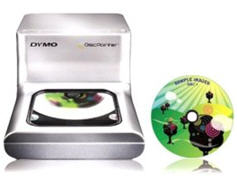
Well, to the DVD/CD labelling rescue comes the Dymo DiscPainter, a pint-sized printer that you simply stick in your CD or DVD media into the drive, use their software to add graphics & text, hit print, and the DiscPainter spins the DVD/CD as it prints. It's pretty cool how it prints in a circular fashion starting from the inner ring outward. I found myself staring at the spinning media through the clear windows as it was being printed just to watch the image grow outwards. I guess I'm easily amused.
 As it spins it prints an amazingly good 600dpi, a pretty decent resolution.
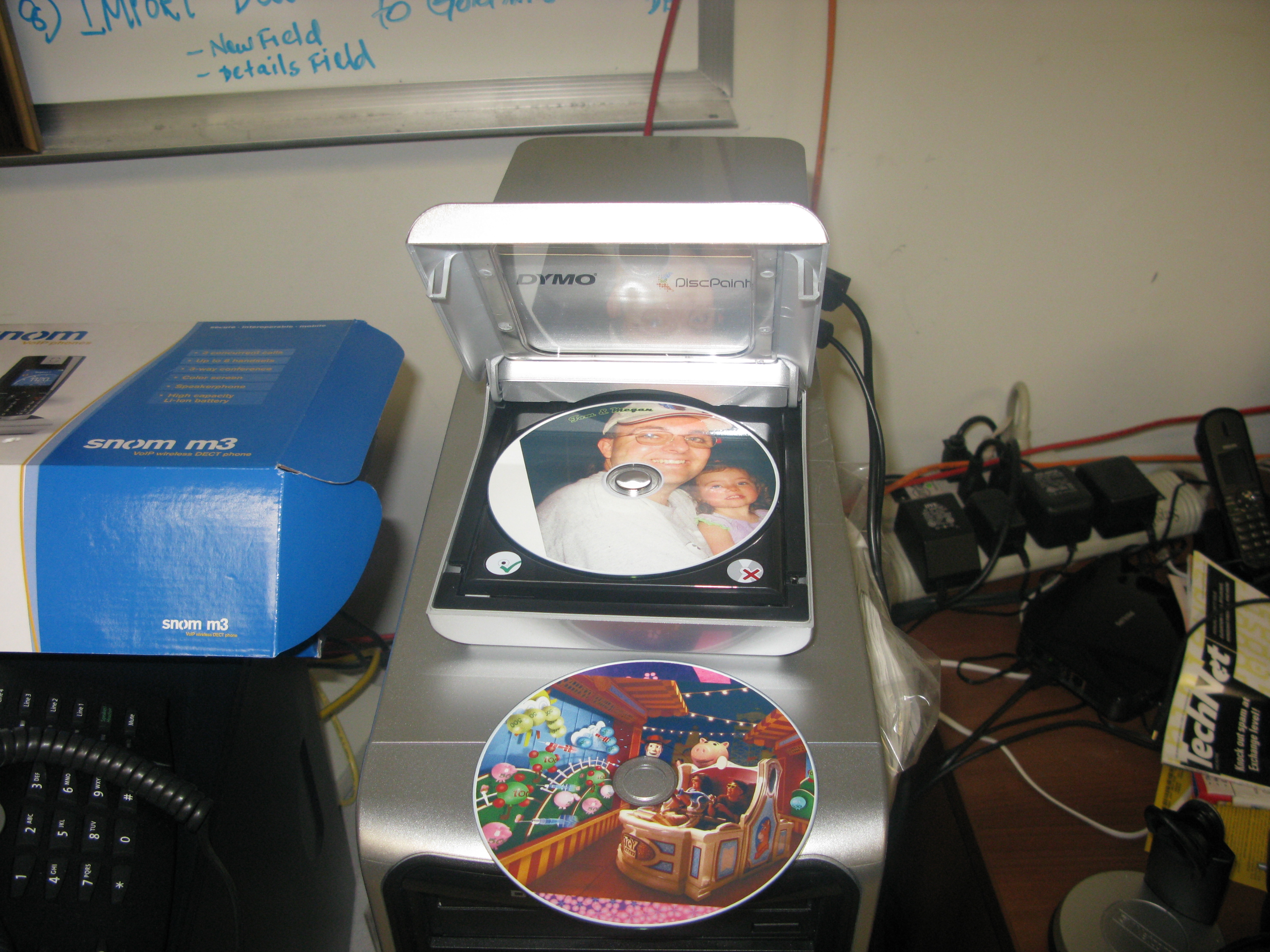
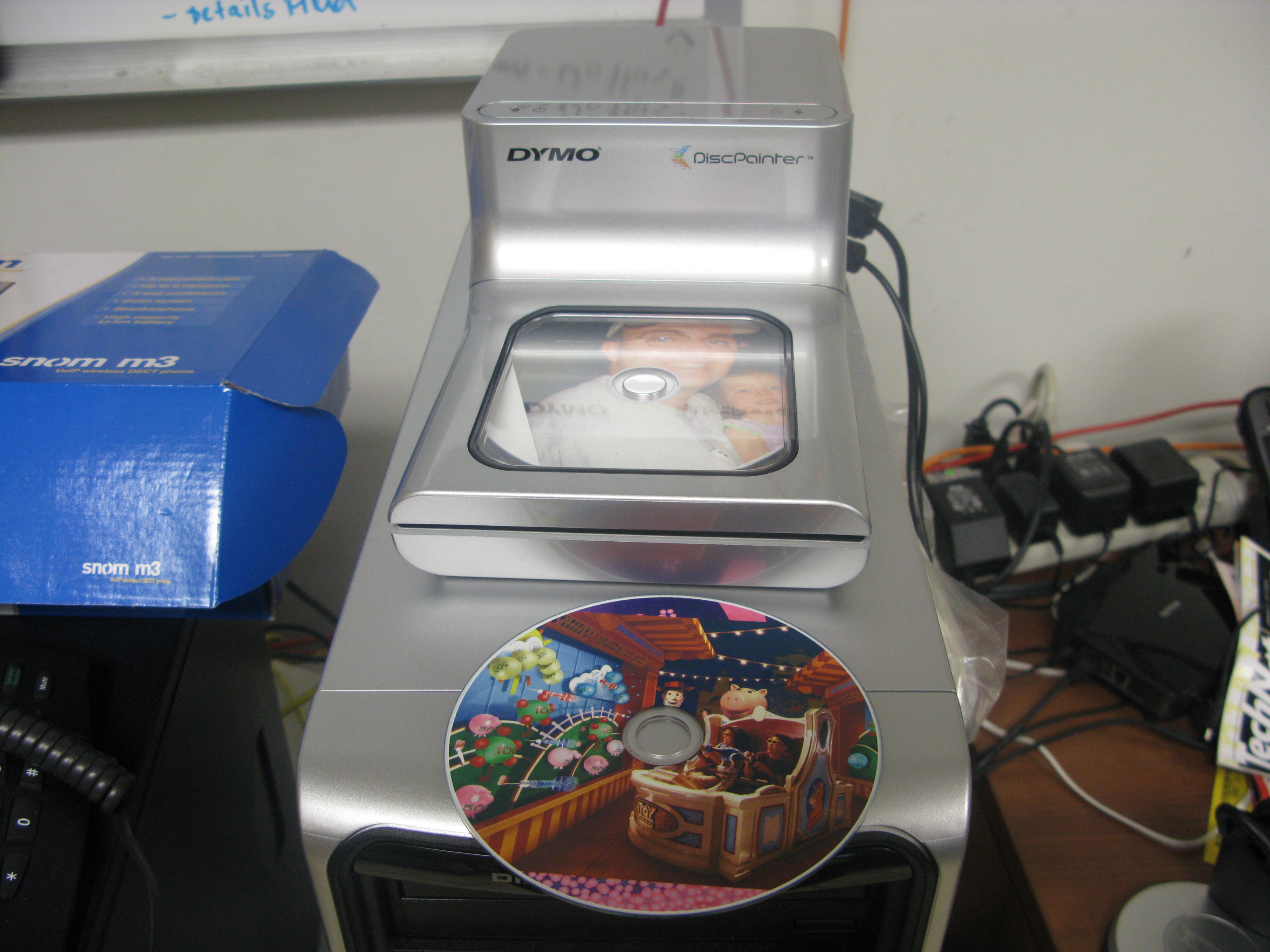
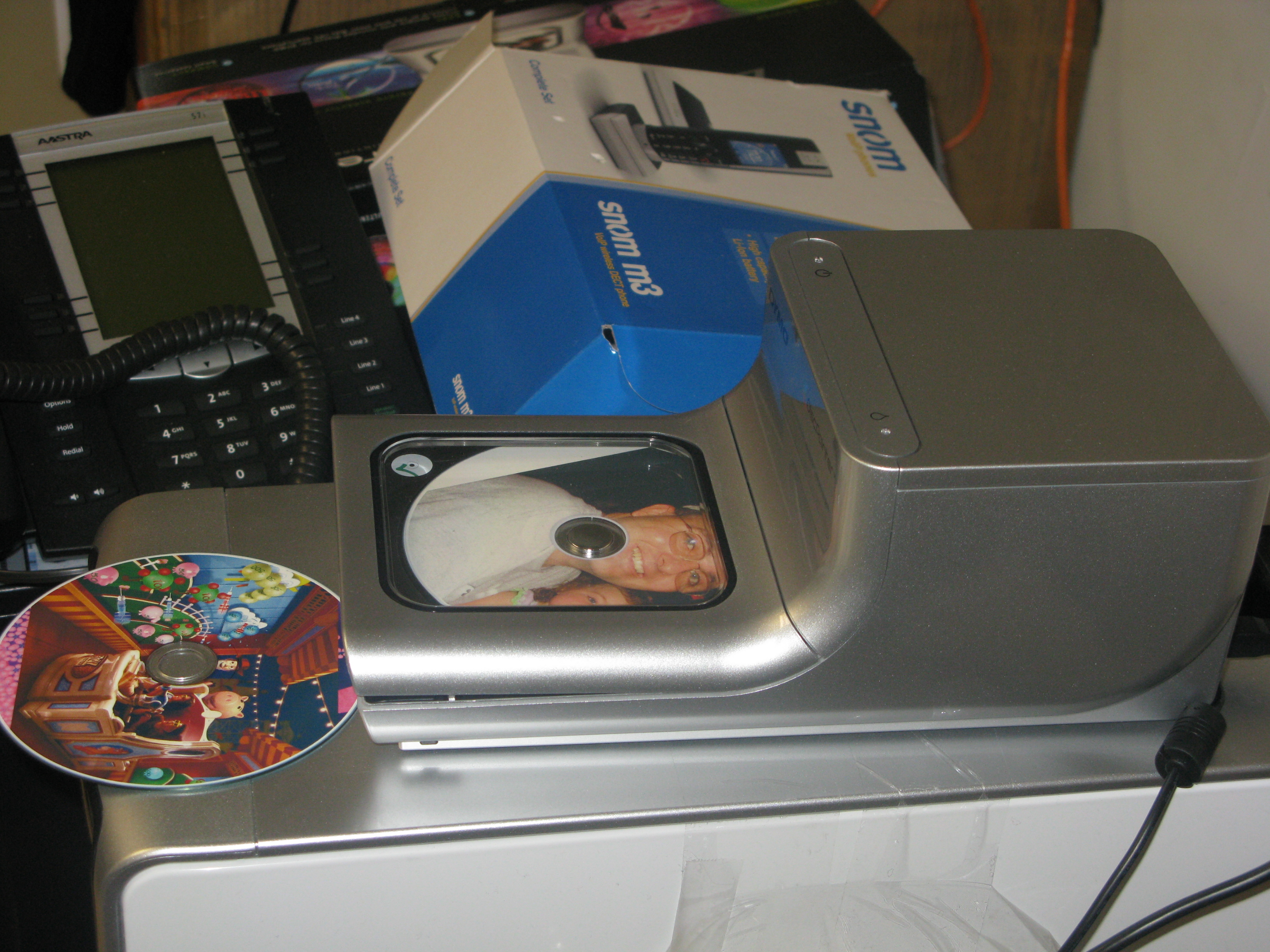
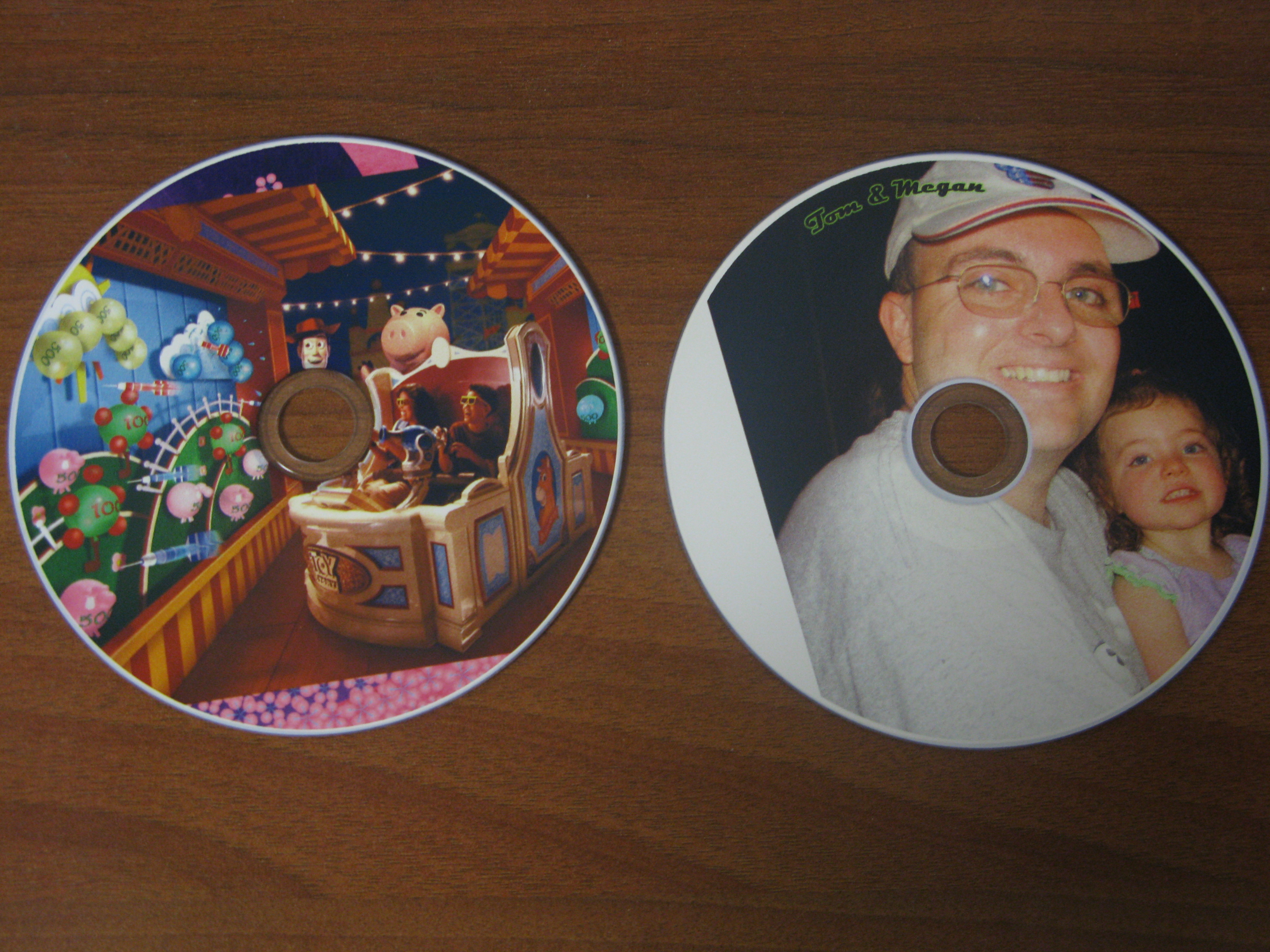
Below is a shot of the printer sitting on my desktop PC with two printed CDs. The one in the printer is one of my with my daughter Megan and the other is a promotional photo of the new Toy Story Mania! Disney World attraction. Now when you do go to Disney World and take some home videos you can burn the video to a DVD and have a pretty graphic printed on top - perhaps using one of the photos from the vacation trip itself.
The Discus for DYMO software was very easy to use. Adding graphics and text was a snap. Here's a sample of me adding the Dark Knight poster image:
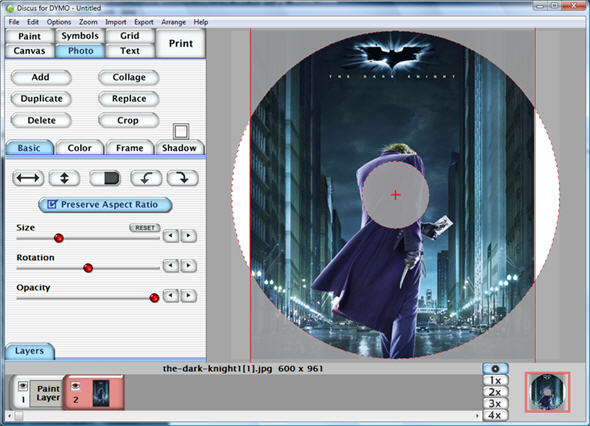
The software gives you fine control over the image, including the size, the rotation, and even the opacity. Essentially, you can also control the "opacity" of the image so that it fades into the background with the text more prominent. You can also draw freehand, add shapes, and more.
Here's another sample showing the Toy Story Mania image:
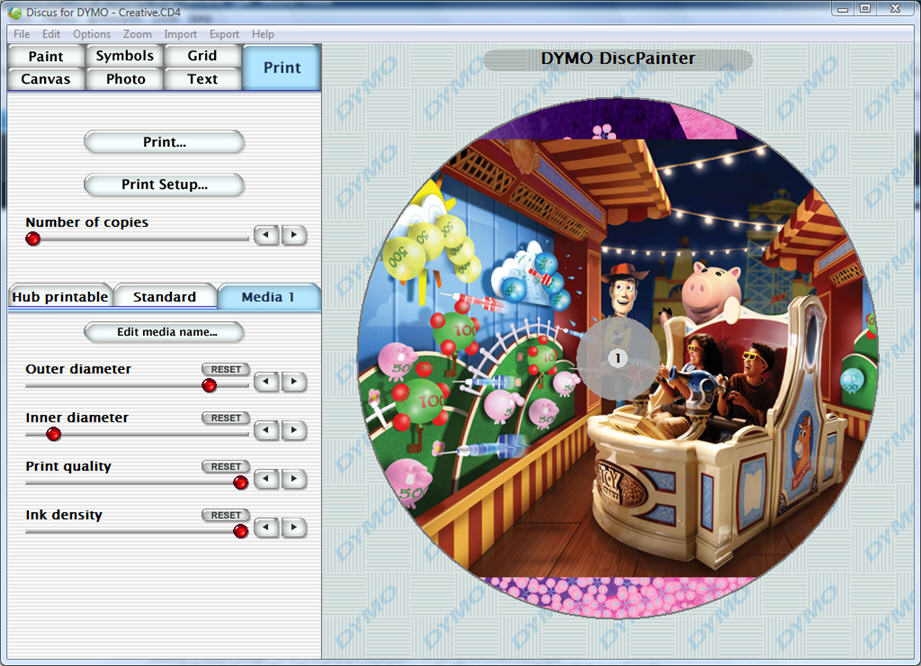
The software lets you set the print quality (draft, normal, best) and the ink density (matte1 - matte5, glossy 6 & 7, and color 8 and color 9). Dymo's DiscPainter CD/DVD software makes printing fun and easy. The DiscPainter includes a USB 2.0 cable, AC power supply, three inkjet printable discs, and a full-color ink cartridge.
Currently, the DiscPainter resolution is around 600dpi, and not 1200dpi as some reviews have reported. DYMO told me they are working on updated drivers and firmware so that the 'Best' print quality is even more crisp and clear. That will be available for people who want it probably by the end of summer (probably as a download online)
Dymo states that the DiscPainter's ink cartridge is good for about 100-CDs. A full cartridge is included in the box, and spares are priced at $39.95 or basically $0.39 cents per print. Perhaps a wee-bit on the high side for ink, but it's fair price to pay for have the coolest looking DVD/CD collection on the block! Just three printable CD-Rs are included (no DVD+R or DVD-RW) with the DiscPainter to get you started -- but you can buy more inkjet-printable media online. Surprisingly printable discs aren't that much more expensive than non-printable discs.
Pros:
- Small footprint and no accessories or trays to keep track of
- Easy to use software
- Very quiet
- Fast print speeds 1-2 ,minutes per CD/DVD
- Ink dries quickly (some printers require 24 hour long drying times.)
- It's only a 4 color system not 6
- Single cartridge system even for black, the most common color used. So if black runs out you throw out the entire cartridge.
- Bit pricey - $279 retail. Though it has come down in price. Amazon has it listed for $247
Overall, I was very impressed with the Dymo DiscPainter. I liked its speed, easy-to-use software, and its small footprint - easily fitting on top of any computer. Users looking for near-professional looking CDs and DVDs will enjoy the results of this printer. Several online retails carry the Dymo DiscPainter, including Amazon, which currently lists the DiscPainter for $249.88
| Ratings | Score |
| Installation |  |
| Price/Value |  |
| Features |  |
| Usability | |
| Performance | |
| Overall | |