 y old wallet was starting to rival George Costanza's overstuffed wallet which made him sit at a tilt with it in his back pocket, forcing him to even it out by stuffing his other back pocket with napkins. Later his wallet exceeds "maximum density" and explodes on the street with his cash, receipts, and other paperwork flying everywhere.
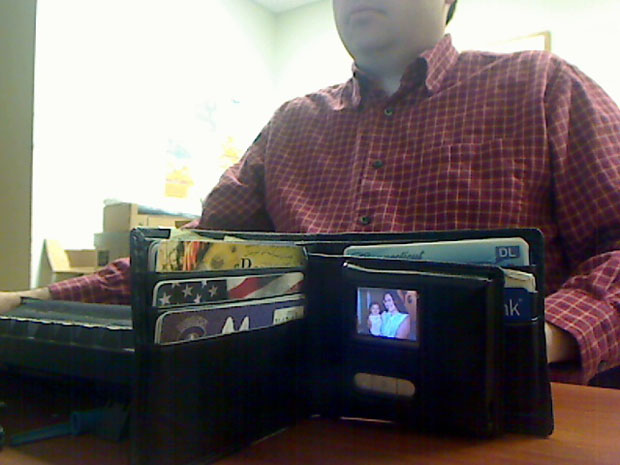
In any event, I hooked up the digital photo wallet to my computer via USB (mini-USB on the device) to both charge it and download some photos. Here's a picture of my wallet:
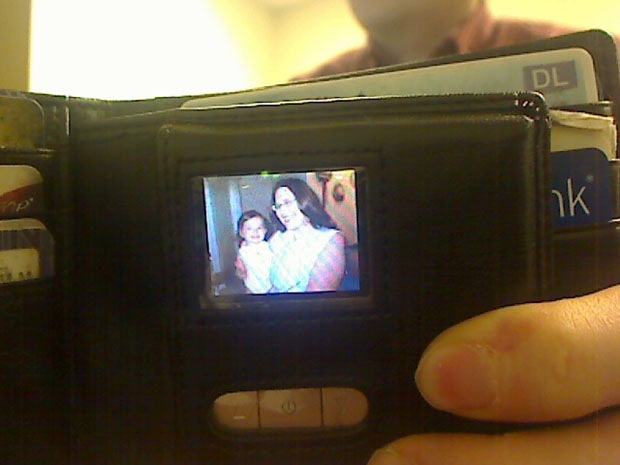
The resolution is decent, but not earth-shattering. But hey, you stuff 55 color photos in your wallet. Try that with traditional paper photos. Here's a photo further out so you can see the entire wallet:
My next gadget was even cooler and one that I played with all day on Christmas, the day after, and the day after that.

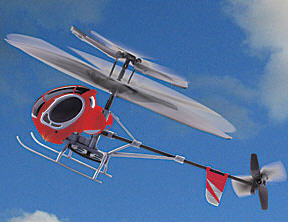 It's a mini remote controlled helicopter. If you went mall shopping this Christmas, you probably saw a kiosk in the main walkways selling these cool little flying gadgets - or at least I did when I went mall shopping. Crowds would gather around the kiosk to watch the mini-flying helicopters, including me. I oohed and ahhed and thought it would be cool to own one. I had no idea my wife was going to buy me one for Christmas.
Flying the mini-helicopter takes some practice. During my early flight time training, my 2 year old niece was hit in the head by the helicopter. It is so lightweight it didn't hurt her, but the tail rotor spun up some of her hair and the helicopter was stuck to her head. It looked pretty funny actually and fortunately she was laughing about it. I glanced around the room and no one saw what I had just done. I leaped over and gingerly pried the hair free, but had to break a few hairs off. Just when I thought I was going to get away with flying a helicopter into my niece, my wife walked in. Damn, almost got away with it too!
 She ribbed me for my flying error, but kept it hush-hush from the rest of the family.
I learned very quickly that you have to be very subtle in your joystick movements, both for turns and for ascending or descending. Before long I was flying the thing around the Christmas tree and around the room. It is extremely durable for such a small object. I bounced it off ceiling fans, walls, coffee tables, nieces
 , TVs and the thing just keeps on going. Part of the reason for its durability is that the helicopter is so light. It charges pretty quickly taking about 20 minutes to charge for about 5-7 minutes flying time. They go for about $35, so you might want to consider buying a couple so you can charge one while flying the other.
So those were my two cool gadgets. I also got some non-gadgety stuff for Christmas, including Call of Duty 4 for PC, big jar of pistachios, various chocolates, gift certificates, clothes, and a 3 month membership to my local gym.
So what are your favorite gadgets that you got for Christmas?