


 fring is finally available for the Google Android. It's about time! One drawback though is that SIP and SkypeOut calls are not yet available on Droid devices. There's always a catch...
In addition to Skype chat and Skype-to-Skype VoIP calling you also get MSN and GoogleTalk support, real-time presence and live chat with ICQ, Yahoo! and AIM buddies as well. fring even has Twitter support. fring on Android works over 3G, GPRS or Wi-Fi connections.
So how do you get it?
Two ways:
1) From Android Market
Start the Market application on your phone
Search for fring and install
2) From WAP on your phone
On your Android phone, go to Settings > Applications and check the box to allow 'unknown sources'
Point your phone browser to fring.com and download fring manually
Check out the video:
Via fring blog


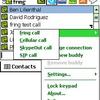










I just installed it and try to do some call.
And I was able to call on PSTN trough SkypeOut!
I also see that I can add a SIP account, which I don't have.
I'm in Canada with Rogers.
SkypeOut work only if I added their phone number as Skype contact.
I simply wanted to add a comment here to say thanks for you very nice ideas. Blogs are difficult to run and time consuming therefore I appreciate when I see well writen material. Your time is not going to waste with your posts. Thanks so much and continue No doubt you will defintely reach your goals! I'll be back soon!