GPS for truckers

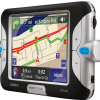
I've received multiple requests from my loyal blog readers for help in finding a GPS solution that works well for truckers. The problem with standard GPS solutions is that they were designed with regular vehicles in mind and not 18-wheelers or other large vehicles, including my beloved Garmin StreetPilot 2720. 18-wheelers often cannot go down certain roads or on certain highways due to restrictions, such as low underpasses. Using a standard GPS solution the mapping software typically doesn't allow you specify that you are driving a large truck. I checked the settings for my motley of GPS software/hardware solutions I have including Destinator 3, TomTom 5, Garmin StreetPilot 2720, and an old version of CoPilot. None of them had the ability to set your vehicle type to a large truck or to avoid roads that are restricted to truckers. They had some avoidance options such as avoid toll roads, but that was it.

So I set about to see if I could find a good GPS solution for truckers. One solution I found is from CoPilot called CoPilot CPT11-NA Truck 11 It uses the National Network Routing based on the federal government-designated highway system for oversized vehicles. In addition, this GPS software supports expanded HazMat routing options including General, Explosives, Inhalants and Radioactives. Though if a trucker driver is transporting radioactive materials and doesn't know which road to take, then we all have bigger problems.

In any event, CoPilot CPT11-NA Truck 11 also has a 53' Trailer Routing feature that incorporates state governments' legal road designations for 53' trailers. One nice bonus feature for truckers is "Lane Change Warnings alerts" that warn you of upcoming left exits, ensuring that you have plenty of time to safely get to the proper side of the highway.

There is another model called the CoPilot CPT9US-USB CoPilot Truck Laptop 9 USB which uses a wired GPS connection over USB, but if you're going to buy this product, may as well go with the wireless Bluetooth model.

Another interesting product is from TourSolver. Truckers often have complicated routes often cross-country and spanning multiple stops. TourSolver Version 4 is a fleet-management software, which they claim significantly reduces logistical costs and operates more efficiently overall. Essentially, the software is a route-optimization solution. Major savings and benefits include reducing driving distance and the number of resources used and making better use of working time while considerably improving customer service.
 
Magellan Ingenierie expanded TourSolver's functionality to industries with more complicated routing problems. This version includes a new, activity-focused approach ideally suited to maintenance, service, and after-sales service staff. This addition can manage long site visits spanning several days, and the automatic incorporation of overnight stays away from home based on the distance of the work sites.

Early on, the software incorporated legal driving time requirements for road transportation companies. Transport and logistics professionals will appreciate the new enhancements such as "Delivery Pick-Up" for managing delivery and collection activities as part of the same route; and "Multiple Depot Management, making it possible to distinguish between a company's address, the sites of its various warehouses and possibly the home addresses of the drivers. TourSolver can also handle even the most complex journey scenarios and automatically takes account of the closest warehouses for each trip. Choice of road travel options include the use of main roads as a priority, the avoidance of toll roads, and more.

TourSolver 4 also has an updated the route calculation engine. This new technology guarantees better use of the computer's memory, and allows the possibility to optimize routes over larger areas, covering the entirety of North America.

Personally, I like the Garmin nuvi GPS products. While they are not specialized for truckers, they have NAVTEQ maps, which are the most accurate. Though I'm not a truck driver, so I can imagine getting on a road with a low underpass or being directed to a street not available to trucks might be a problem.
| 33 Comments | 0 TrackBacks

Listed below are links to sites that reference GPS for truckers:

GPS for truckers TrackBack URL : http://blog.tmcnet.com/mt/mt-tb.cgi/30748

33 Comments

| Reply

I am glad you had looked into this I myself am using microsoft streets 2007 and Delorme streets atlas 2007.. I was planning on buying the CoPilot laptop 9 anyways but you have helped me make up my mind...Thanyou

| Reply

Truckers versions need to have the ability to type exits and get a satelite veiw of the the area, this would allow them a better visual of exits especially in large citing with multiple interchanges. As well dead end streets would be helpful, as well a lot of routes have absolutely no road signs of any kind to let you know if you are on course, or the road may have a local name but not the name that appears on your gps mapping; which can confuse you when suddenly the road name changes and doesn't match the gps mapping some land marks would be helpful here. And a added bonus high crime areas and automatic notification of high crime areas and automatic re-routing of trucks to ensure that truckers avoid these areas.

| Reply

Why can't one of these gps navigation companies like garmin, magellan, tom tom, design a gps gig for truckers just as they do for automobiles? Screw mounting a laptop where you have to keep looking to the right which is where it's more likely to have to be mounted unless you want it up on your dash blocking view of mirrors and traffic or somewhere by the shift. How can you watch the road and pay attention to detail if you have to look away to follow it?

I bought copilot truck laptop 9.0 and first time I used it, it led me in the wrong direction. there service after the sale was terrible. leaving voice mail messages to be called back was fruitless. paid extra for overnite shipping and when it did not come when promised I was refused a refund for the extra shipping cost though fedex told me I deserved to get my money back. had to go thru my credit card company. an extra head ache I did not need. I would never recommend this company. very unprofessional service

A laptop is not a GPS peroid. Microsoft streets and trips is beter then Co pilot. Its not designed for truckers, but at least it wont direct you in the wrong direction.
I bought a garmin and love it, it can send you into a no truck zone, but so has my co pilot. You need to use your eyes and make sure the streets are ok for truckers.
i do wish there were beter products out there.

Everyone will have their preferences regarding the program they like. Personally, I have used Delorme Street Atlas for 3 years now. Honestly, it has never gotten me lost. It has however steered me into some truck restricted areas on occasion (thankfully, no ill consequences!), but between it and my data connection card that lets me be online nearly 24/7, I do very well.

I am involved with the openstreetmap project, which one day, hopefully, could be the solution to all the different mapping programs out there, much the way Linux is to Micro$oft. If you are willing to donate your time we would love to have the help! It will be several more years before the project is truly viable as a navigation tool, but the more people involved the faster it will go. And... no more "TIGER" data screwups and NO overpriced commercially sold databases and crippled, overpriced, commercial software! 100% free and (hopefully) 100% GPS accurate. We'll see.

| Reply

I've been using ALK Technologies' program, "Copilot Truck Laptop 9" for several months and I have to say that my biggest problems with the program are the inflexible forewarning distances, inaccurate truck routes, unwanted checkpoint notifications (i.e. Stay on I-40 as County Road 426 splits off. Who cares about a highway that is not in their plan?), The inability to compensate for ALK's failure (I'm referring to the lousy text-to-speech (TTS) options) by incorporating the TTS voice of the users' choosing into the program, The color scheme for night driving, which does little to reduce unwanted light... I'm pretty sure I could continue past the limits of this page. In short I cannot recommend this program until ALK takes its customers needs into account and makes its program more useful than routing by a truck stop's free services.

thanks dude for saving me some time or and money.

I am looking into becoming a trucker when I retire from the military. Because of this i am also going to invest in a GPS. I have found out that the Garmin Nuvi 650 has a "truck" option when you set it up. Using this mode should keep you to routes that you can drive your rigs on. Hope this helps those truckers looking for a "truck friendly" GPS.

Cyril
North Bay
Canada

Couple of days ago I got a new gps device from TeleType. WorldNav for Truck Routing.
http://www.teletype.com/Merchant2/merchant.mvc?Screen=PROD&Product_Code=310060&Category_Code=WorldNav
This unit has routing for semi-trailers and so far it is working very well for me.
It is the first device that I see can really do a good job routing large trucks


| Reply

Hello. I would like to comment on the Garmin Nuvi 680 since I own and use one.
While it is a wonderful device and I love using it, it is not the GPS holy grail for truckers. While it lets you set the vehicle type to "Truck" and the route does recalculate when you do so it will stil try to take you places you don't want to be in a big truck. Strangely, I have also had it try to steer me around a route that I know to be a good truckable route but if I switch to "Automobile" mode it will then bring me in on that route.
I believe Garmin is coming out with a new model called the 880? and it has a larger screen and the ability to preplan your routes and insert via points to avoid truck obstacles you might find using the MCA or even Google satellite maps.It also will have dead reckoning to help with tunnels and tall buildings. Pricey though at $1000.00 plus.

James Pierson

I am new to the trucking industry and am frustrated at the lack of portable GPS mapping software. I did find this unit by WorldNav. Has anyone used it? It sounds like a good start to this issue. I like Jeff Wainwright's idea of a satellite view option. I have been using Google earth for that when I have internet access prior to my trip.

Thank you for all the help! I am getting ready to buy my first, and have been having headaches over which would be the best. All of your info and the comments are helping me a lot. Thanks again.

I agree that CoPilot is one of the many leading Trucking Software in the industry. Before purchasing a software, make sure first with the things you can gain from the software

A year and half has passed and still no real solutions for truckers. Laptops are not a viable solution as many states and provinces have restrictions on the size of screen you can have in your cab.
I haven't seen many reviews of the WorldNav unit and if it really worked there would reviews all over the net.
When will companies like Garmin or TomTom realize that there is a huge market out there that is completely untapped. I am encouraged by the reader's comments about the Garmin 880. The ability to preplan your own routes would be a huge bonus.
Personally I use a TomTom One XL and it saves me daily but it still has no truck options and common sense has to play a huge role.

Jim,
Any suggestions on gps receivers with good Linux interoperability? I'm looking to geotag time-series trip images that I compile into stop motion trip videos.
BTW, thanks for the openstreets tip. I've been looking for an opportunity to get involved with an opensource project, and this looks like it might be right up my alley. Cheers, Phil
phil@tractorgeek.com
TractorGeek

| Reply

I have been looking for a good GPS for my husband who still drives. Searching on the web, I found one made for Tractor Trailer Semi Trucks. It is a little pricey, but looks like it is worth it, here is a description and then the web site where I found it .....

The WorldNav Truck GPS is based on TeleType's award winning navigation product line. This advanced 7" widescreen Truck Routing GPS is for professional truck drivers, bus drivers, and RV'ers. It Insures that routes will follow roads suitable for truck travel, and the commercial driver can rely on the routing as it takes into account commercial truck restrictions such as bridge heights and clearances, load limits, one-way road designations, left-hand and dangerous turn restrictions, and allowances. For example, a typical set of restrictions for a semi-trailer could be entered as 13'6" height, 80,000 lb weight, 53' length, and 96" width.

I just read that Co-Pilot is coming out with a self contained GPS system like Garmin, but sppecially for trucking. I contacted PC Miler to verify but have not had any word back. Do you have any information regarding this. This would be great to have a gps without having to have a laptop taking up the passenger side of the truck.

Thank You.....

| Reply

I found you blog becouse I'm doing looking for a system for me. Some of the things that i'm looking for are alt route if road is closed or backed up. It seams that the new systems are geared to be full enterment packages. (MP3 player Moives and more) All I want is a good tool so that I can spend my effort on being safe and not looking at 10 different signs at the same time as I'm trying not to run over that honda switching lanes while on cell phone and not looking. I have found 2 companies that have systems out today Garmin makes two one sells for $799.00 and has a very nice large screen. They also make a unit for $1299.00 but I didn't even look at this one. Teletype also makes two systems. They also offer a Worldnave 7" unit for $599.00 and a 3.5" system for $399.00. All these allow you to put in your weight, hight, with, and weight. I'm not sure about Hazmat. Word has it that Cobra is also comming out with a system. All of these are self contained units and do not requier you to install a laptop mount and laptop. I'm still looking. I am leaning tthe Worldnav 3300 3'5 ". becouse it is small enough that I can mount it flush with my dash. It does all the same stuff just a smaller screen. You may want to look futher I still have questions. I'll check back after I buy one and use it for a couple weeks.
Alan

| Reply

TeleType GPS w/Truck Routes.

As of Oct 3rd, 2008

There are many major and minor defects that make the Teletype unit unusable for car or truck navigation.

WRONG TURNS – The GPS unit will direct the driver to turn right when the actual route is to turn left.

SKIPPED TURNS – The GPS will indicate that the next turn is right when the actual route is to turn left, continue for 1km and then turn right.

WRONG ROUTING – The GPS unit will direct the driver to turn off of a Highway in favor of narrow dirt roads. This condition applies to all settings (car quickest, car shortest, car prefer highways, car avoid highways, truck quickest, truck shortest, truck prefer highways, truck avoid highways).

WRONG REROUTE – When a turn is missed or skipped, the GPS will recalculate the route to the destination. This recalculation will direct the driver many miles/kilometers the wrong way only to circle back to the destination. Example: Destination is 1km from current position … the GPS will create a 10 km route to end up at the destination.

WRONG GUIDANCE – The GPS will direct the driver to bear right on the road you are already on even though the road is straight as an arrow. The correct action should be to indicate the next turn at an intersection.

AUTOZOOM – Autozoom does not function on the Teletype GPS and must be disabled. With autozoom active, the map display is so close in that the map is unusable. With autozoom disabled, the drive must manually zoom out and zoom in for driving and approaching turns.

ROADS DISSAPEAR – At certain zoom levels, (500m and up), the roads will disappear from the screen leaving a route line on a blank map. The map of the roads may or may not return. The driver must zoom in and then zoom out to force the unit to display the roads once again.

STREET NAMES – Street names are not shown on screen is the zoom level is set to a level that allows you to see crossroads ahead. (300m and up)

WRONG HIGHWAY NAMES – The GPS will not accept a destination address of HWY … you must use a formal highway name of “KING’S HIGHWAY” for Ontario. Note that all other GPS units on the market as well as computer navigation software accept HWY or HIGHWAY.

VISIBILITY - The backlight on the GPS is too dim to see in bright daylight. For daytime use, the automatic backlight setting must be disabled and the brightness on the monitor need to be turned up to full power.

BRIDGE HEIGHTS ETC – We have not tested this main feature as we could not even navigate from point “A” to point “B” properly.

All of the above defects have been documented with video recording and presented to Teletype over the past three months. Teletype stated that the version T6.0902r98M is final and there is nothing more that can be done to correct the defects.

Does anybody know or have information on the co-pilot trucker 11 for laptops with the navigational USB connector??.

copilot 9 trucking is good... copilot 11 is a worthless horable excuze for a truckers gps... ive have been using both for three weeks and 11 can not do have of what 9 can do in twice the time... what a loss for the pc miller company. its pretty to look at though..lol

get copilot 11 if your not a trucker. or you have money throw away

thanks to all

what about the worldnav 7200? can you check into this, and maybe try one out for us? it seems to be the only self contained gps out the for truckers. software for a laptop is cool and all, but using a laptop for a screen can be cumbersome and takes up a lot of space. not to mention you have to take you eyes too far off the road to glance at a laptop screen for direction. having something right on top of the dash of suction cupped to the window is so much more convenient and safe!

I can't believe all the info available at Google maps. Everything I need except CA truck route restrictions, and as we all know, you're only in trouble if you're caught,(or hit). Google street views show whether their is off street parking, or even signs often showing whether their are truck parking prohibitions. I love it and wish Garmin or others could/ would extend this info for truckers...

I had read that Microsoft Streets and Trips 2007 W/GPS was a good product for truckers. I am trying to find out here if the 2008 or 2009 version is better. Any comments or input? Anything better than this please let me know. Of course i'll need a laptop for the MS streets and trips.
Thanks Doug

My boyfreind recently took up long haul and I was wondering if someone could tell me what GPS to get for his "lower-48" US hauling. I see a lot of this and thats but not enough information on exactly what works and what to buy. I am looking for a self contained "dash" unit and NOT a laptop model like Guido mentioned above!

Total Piece Of CRAP!!!! I messed with the teletype GPS for over 9 months. They sent 2-3 updates for the software....it never worked as advertised. It couldn't find the short route if you were already driving it. You couldn't find a truck stop unless you saw a bill board for it. Directed me down a road with a 10 ton limit/bridge....meanwhile I'm 70' long and 80k gross. It doesn't recognize many, many addresses so good luck finding your destination. If i would have followed the directions given by this thing I would have more out of route miles than I would in route. SAVE YOUR MONEY! I spent $600 bucks....took the loss and now it has a home in a Dumpster. The last straw was my final call to the company only to have them tell me it works great and all their other customers are very happy....lol....yeah it just doesn't work for me....Whatever.

do you mean 'streets & trips 2009, with gps' is a total piece of garbage? what would you reccomend?

| Reply

No, I'm sorry I wasn't more specific. The World Nav GPS unit from Teletype is what I had and was unsatisfied with....well unsatisfied would be an understatement. They claim it does everything you need....routing for truckers....truckstops....short routes ect. Lies!!! You'd be better off buying a $100 Garmin. My Dispatch uses PC Miler software in their computers and I now see that PC Miler has come out with a stand alone GPS unit. I'm considering one of those actually. The unit I would really like to have is the one they are putting in the new Peterbilts. I'm not sure who makes it or if they make a stand alone unit but I've talked to a few drivers that say it works fantastic. One driver even gave me a quick demo and I was very impressed. I've written Peterbilt and inquired about it but have heard nothing in response.

| Reply

I found this doing some digging around on the internet. Someone asked about the GPS navigation system in the new Peterbilts. This is what I found.
A new in-dash GPS-navigation system is now available on Peterbilt's Model 387.

The Alpine DVD Vehicle Navigation System gives drivers turn-by-turn visual and audio directions as they travel toward their destination, tracking the vehicle's location and speed to help ensure exits and turns are never missed.

“The navigation system allows our customers to enter a street address or phone number and receive detailed, step-by-step directions for getting there,” said Peterbilt assistant gm Dan Sobic. “Not only will this increase efficiency and productivity, but it also provides drivers with added peace of mind.”

Users can input information and control the system via a 4.6-inch color display monitor or a wireless remote. System features include map zoom, destination search, detour routing, landmarks and points-of-interest display, and a GPS clock that keeps accurate time, even when time zones are crossed.
Here is the website: http://fleetowner.com/news/fleet_indash_gps_navigation/

I heard from a couple of other truck drivers that the PC Miler Navigator 430 was also a piece of junk that was doing the same type of stuff the TeleType was doing.

pc miller 430 is a peice of juck . i sent mine back twice. slow to react tells you about other roads that you dont care about thats not on your route.if you miss a turn it takes you so fare out of route to get turned around .it sends you on dead end roads that it thinks that go through.it sends you through resadental roads instead of more direct ways ,plus it always freeze;s upplus you have a 50/50 chance that your address wont come up on it it happens way to much a place can be there for 50 years and it wont get you there.try the new rand mcnally gps.i got of the interstae about two block when i was going to leave it told me to go throught town on a different route that was two mile long i was only of the iterstate two blocks

Ok I will help you all out, if you have a lap top in your trucks go to
www.promiles.com down load the program call the 800 number get
a unlock code for a 30 day trial. It is the BEST there is. I have been
using it for 6 Years and never a problem. You set it for your liking.
Hours you want to run, least amount of fuel in tanks, tons of settings
to help you get there fast safe and under cost. This program will tell
you fuel prices, rest areas, locations of dot houses and will not send
you on a restricted rout for your truck. If you try it you will love it
and when you call for the unlock code talk to Tommy Sessions he
will take great care of you. On a scale of 1 - 10 it's easy 9.7. Try
it and you won't get lost ever,( unless your real dumb)

Leave a comment

Recent Activity

Friday

Thursday

More...

Recent Comments

  • Bill: Isn't this the same chief lanier that wanted to keep read more
  • gadgets: I just read your post and I found it really read more
  • Craig: http://www.youtube.com/watch?v=_SwZDboRv6U Use the above link. This is the most simple read more
  • peetee: I would like to applaud google for creating this new read more
  • Anonymous: yahoo should get out of the whole issue. there is read more
  • Goran: I have the same issue at my work. I have read more
  • Chipmunk: It's a great app! Though it is not integrated with read more
  • christmas stocking fillers: I hope it ends as soon as possible. I do read more
  • Nikki Brown: Interesting. Is there a side-by-side comparison with Google voice anywhere? read more
  • External Hard Drive: Hi, The Skype's legal battle is in progress and now read more

Subscribe to Blog

Recent Entry Images

  • Thumbnail image for startrek-borg.jpg
  • blabbelon-logo.jpg
  • ribbit-mobile-callerid-20.jpg
  • blabbelon-voip-room.jpg
  • ring2skype-logo.jpg
  • fonality-co-founders.jpg
  • captain-kirk-kick.png
  • simplesignal-call-control-toolbar .jpg

Category Archives

Around TMCnet Blogs

Latest Whitepapers

TMCnet Videos