A friend of mine told me he recently installed Firefox 1.5 beta 1. He told me about a problem he was having with one of his favorite Firefox extensions / plugins, namely Paste and Go, which wouldn't work with the new Firefox 1.5 beta 1. It was such an important extension that he actually uninstalled Firefox 1.5 beta 1 and went back to an older version. Thus, many of our "must have" extensions don't yet work on Firefox 1.5 beta 1.
I found a trick to make Firefox 1.0 extensions work in Firefox 1.5. (credit to The Extensions Mirror, LiewCF.com, and Evan Koblentz for this tip)
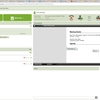
- In the Firefox URL type: about:config This will show you a list of Firefox preferences.
- Right click on the list, select New > String
- At preference name enter "app.extensions.version" (no quotes).
- Then, enter "1.0" (without quotes) as the value for app.extensions.version
- Restart Firefox and enable the disabled Firefox extensions.
- Restart Firefox again to activate the extensions.