Windows XP Media Center Edition 2005

Media Center Edition 2005

Media Center Edition 2005

I was just reading about the launch of Media Center Edition 2005 and came across this link: Microsoft to tune up Media Center PC | CNET News.com As I just blogged, I want to buy a Sony model running the new Media Center Edition 2005, however according the link, "The machines are part of Sony's existing "R" series of Vaio Desktops. In addition to sporting the new OS, the machines add faster processors and larger hard drives as well as the option to automatically create a backup of data using RAID. For now, Sony's machines stick to offering a single TV tuner."

One tuner? Are you kidding me???! C'mon Sony. Get with the times! I checked Sony's website and I can't seem to figure out if CNET's article is accurate or not. Their website isn't even clear that the PCs are running Media Center Edition 2005 and not Media Center Edition 2004.

I definitely want a 2-tuner Sony Media Center Edition PC, so if anyone knows, by all means post a comment. Thanks.

UPDATE! 12/2/04 - I reviewed the LinkSys Media Center Extender. Click here:

LinkSys Media Center Extender Review

| 25 Comments | 2 TrackBacks

Listed below are links to sites that reference Windows XP Media Center Edition 2005:

2 TrackBacks

Windows XP Media Center Edition 2005 TrackBack URL: http://blog.tmcnet.com/mt/mt-tb.cgi/340

Streaming Live TV from VoIP Blog - VoIP News, Gadgets on December 2, 2004 2:26 PM

Last week I redeemed 170,000 Sony points to get a Sony VAIO RA920G PC running Microsoft's Media Center Edition 2005 operating system. I was curious if I could figure out a way to "stream" my home PC's multimedia content, including... Read More

25 Comments

So far Sony is refusing to see the upgrade and I will NOT buy anymore Sony products until they do.

Learn from my mistake, do NOT buy a Media Center PC from Sony because Sony does not upgrade the Media Center software when Microsoft comes out with a new version.

I have a Sony Media Center PC from Sony, and it's great except for the fact that I can't get the new version of Media Center. Microsoft has stated that the only way you can get an upgrade of Media Center is from your OEM, your PC manufacturer. (There is no retail version of the software.) Sony has announced that it isn't going to upgrade its customers who have Media Center 2004. So if you purchase a Media Center 2005 PC from Sony, do NOT expect to get the upgrade come 2006 or beyond.

http://129.33.22.7/SRVS/CGI-BIN/WEBCGI.EXE/,/?St=685,E=00000…(31233),UseTemplate=Case.tem

I really love the Media Center experience, so I would recommend that you buy a PC from another PC manufacturer that does upgrade the Media Center software: (HP, Alienware, etc) Before you purchase a Media Center PC, find out if they have supported upgrades in the past.

You can buy an OEM version at directron.com for $130. Someone successfully upgraded his Vaio; see http://www.mcse.ms/message1179084.html
Good luck!

You can buy an OEM version if you wish to upgrade your Sony Media Center PC, but you'll have to do that each and every year that Microsoft comes out with a new version of Media Center. Easiest thing to do is NOT to buy a Media Center from Sony.

Who said anything about buying a Sony MCE? I redeemed 167,000 points for it! : )

I'm very pleased with my Sony MCE 2005 PC. I have no complaints. If MCE 2006 or MCE 2007 comes out and I have to shell out $130, it will be worth it. I'd rather only pay $50 for the upgrade, but i guess all we can do is complain loud and hard enough and maybe Sony will change their minds.

Toshiba will not upgrade Media Center 2004 to 2005.

Dude if you get Windows XP for gateway it gets fucked easily.

Dude if you get Windows XP for gateway it gets fucked easily.

Sony's update website for Vaio users have announced an upgrade for 2005 edition but it is past the "late Feb." date an nothing else but check back later. I bought my comp right before the 2005 models came out and paid top dollar. I think they should provide the upgrade free. But I understand that if you do upgrade to MCE 2005 you get the inferior Windows Media Player 10.

fcdf

Sony announced 3/14/2005 that it would offer an upgrade for $9.95 valid until 5/31/2005

http://esupport.sony.com/perl/news-item.pl?template=EN&mdl_id=1130&news_id=65

Hurrah, I can buy sony gear again !!!

dont quite understand. microsoft make it sound 2 me like the "Media Centre" component is just 1 window in the hole os,& that otherwise this os is just like xp pro (runs normal xp programs). is this true and if so how do you switch between "normal" xp and "Media Centre" xp?
thanx.

>>dont quite understand. microsoft make it sound 2 me like the "Media Centre" component is just 1 window in the hole os,& that otherwise this os is just like xp pro

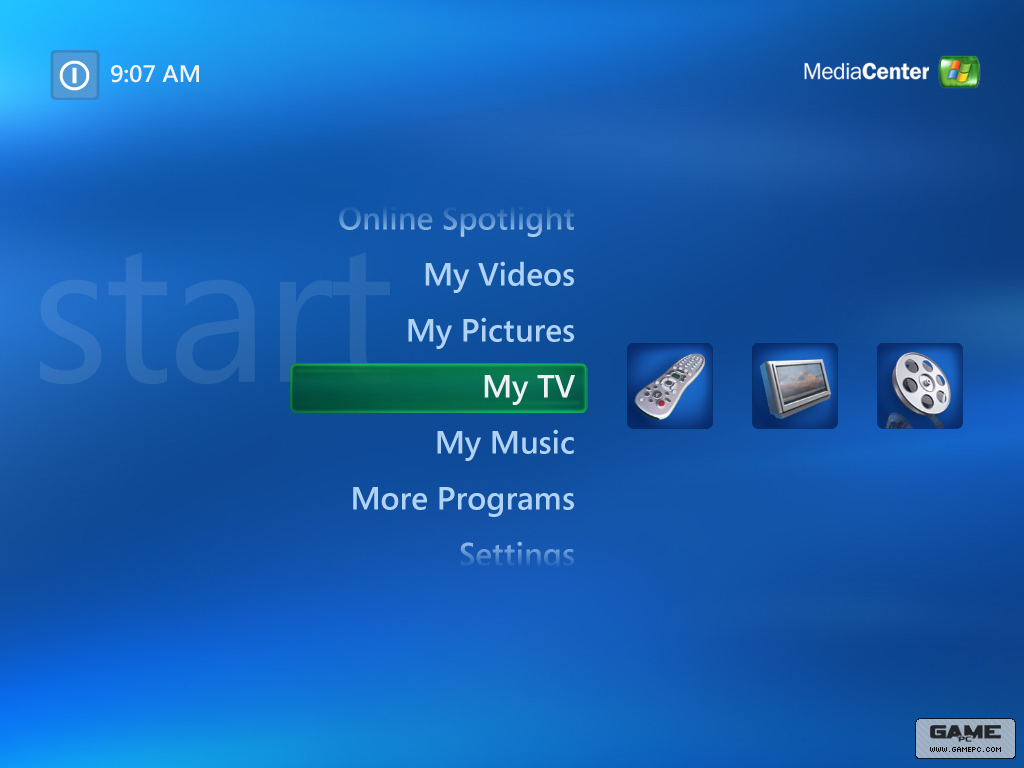
that's correct. At MCE's core it is 99% Windows XP Pro. The 1% is merely the media center interface, TV tuner driver, etc. The MCE TV interface is based on Media Player 10.

I'm typing this comment from my home MCE 2005 PC on my 65" TV using a wireless mouse/keyboard and Firefox.

You simply ALT-Tab from the TV screen or minimize the TV window using your mouse. You can also make the TV window a small window so you can surf the web and watch TV at the same time.

Clear as mud?

Hi, I am currently designing a house and I want to have streaming of video (TV, videos etc) through the hosue. I have been thinking of doing the following. Installing a Windows Media Centre PC (MCPC), and extenders through the house int he various rooms. The MCPC will be linked on the Internet with Norton Internet Security 2005. The MCPC can then share the Internet connection trough the house. The house is then wirde with gigabit ethernet to each room. There is a hub/switch in each room with a PC and extender connected to it. The person can then have a PC in the room for general work and surfing and the extender is connected to the TV. I will then connect the Satellite, over the air and radio to the MCPC. There needs to be about 7 extenders in the house. Will this setup work?

Regards

Jaco

Hi, I am currently designing a house and I want to have streaming of video (TV, videos etc) through the hosue. I have been thinking of doing the following. Installing a Windows Media Centre PC (MCPC), and extenders through the house in the various rooms. The MCPC will be linked on the Internet with Norton Internet Security 2005. The MCPC can then share the Internet connection trough the house. The house is then wired with gigabit ethernet to each room. There is a hub/switch in each room with a PC and extender connected to it. All the PCs will get their IPs from the MCPC. The house's data directory will be on the MCPC where data are stored centrally. The person in the room can then have a PC in the room for general work and surfing and the extender is connected to the TV. I will then connect the Satellite, over the air and radio to the MCPC. There needs to be about 7 extenders in the house. Will this setup work?

Regards

Jaco

7 extenders connecting to one MCE 2005 PC? If you use WiFi, forget it - not enough bandwidth for 7 extenders even with 802.11g - unless you plan on only having 2-3 running at any given time.

Even if you use a wired Gigabit connection, I still would be wary of 7 extenders running off a single MCE 2005 PC. Don't forget that all 7 TVs connected with extenders would have to watch the same television show or pull media content from the same hard disk on the MCE 2005 PC. The MCE 2005 PC would get hammered if you try and make it the central media repository for 7 simultaneous video and/or audio feeds. I suppose if you setup a RAID 0 configuration it might reduce the chance of hard disk access contention which can cause the video to stutter.

I could be wrong about not being able to run 8 extenders, so post your query on http://www.thegreenbutton.com

Lots of great Media Center experts there!

Can some one tell me how we can see which version of windows media center do i have on my system? When i do winver it shows mce 2002 whereas my oem maker declares I have the mce 2005?.
Help!

To determine the version of Windows XP Media Center Edition that you are running, follow these steps:
1. Start Media Center.
2. On the Settings menu, click General.
3. Scroll down, and then click About Media Center.

The version number of the application that you are running is displayed.
For mroe info, look here: http://support.microsoft.com/default.aspx?scid=kb;en-us;837707

Have just installed Windows MCE from 3 cds in pack. But The third CD has 'Updates for Version 2005'. Have repeatedly tried to install these updates. Says: needs Micosoft .Net Framework 1.1 & Service Pack 1. Installed those. Still cannot upgrade from CD ? Any one help please ?
Many Thanks
Stephen

i bouht a computer labled microsoft media edition 2005 but it have the 2002 software in it How do I upgrade it

Anyone have the 5/31/05 Sony upgrade on disc they would be willing to sell? Sony basically said get lost. Since Sony isn't selling it anymore and MSFT refers you back to the OEM, this is the only way I'll get to upgrade my Sony Vaio. Thx!

i have a question do you think i will be able to use a winxp mce 2002 with a winxp mce 2005 cd key

Has anyone figured out how to upgrade from media center 2002 to 2005? or is it not possible without buying it again. I can't even upgrade to media player 11 on my media centr comp, but I can on my 4 yr olds p3.

I have the same issue with my sony rb42g as sunray does I can't upgrade to wmp 11 becuase it thinks I have MCE '03 while I really have '05 which was confirmesd by the build number from sony. Thing is that it shows '03 in the system properties... Anytime i try to upgrade to wmp 11 it tells me I need the rollup 2 and when i try to get that it wont let me install it due to some error. I've tryed it multiply times too. I've reverted the system back to defualt with the sony disk but that didn't help. I also tryed messing with the I386 files becuase evidently one of them isn't right. that didn't work so well tho... I'm currently installing(reverting back) rollup 1 so maybe I can start from scrath I'll let you all know how it turns out.

I have Windows XP MCE 2002 SP2 and just bought an XBox360. I can't do anything without having MCE 2005....can anyone help? Is there upgrade software?

Leave comment to Windows XP Media Center Edition 2005 article

Subscribe to Blog

    View my Microsoft MVP Profile:

Blogroll

Recent Assets

  • trojanhorse.jpeg
  • object-world.jpg
  • z_overview_top_tn.jpg
  • legotrip.jpg
  • bs_CDGSx4_lg.jpg
  • asterisk-net-release-directory.jpg
  • personalist.jpg
  • visual-studio-toolbox-items.jpg
  • plumble-logo.jpg
  • i19.jpg