



Recently in Wireless Category

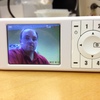
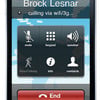
octrotalk-presence-chat.jpgA major new version of OctroTalk (see previous write-up), an IM/VoIP/video P2P app just came out. The new version is called OctroTalk 2.0 for Windows Mobile and it now has real time video conferencing with VoIP, File Transfer, Instant Messaging and avatar support. You can even have video calls if you have OctroTalk running at both ends. The OctroTalk desktop version also supports video conferencing.

OctroTalk supports IM/VoIP and can communicate with Jabber, Google Talk, AOL/AIM, MSN Messenger, Yahoo, and ICQ. Might have to compare this app with fring, one of my favorite multi-IM/VoIP applications.

You can also stream live video to the Web. Just add 3001@switch.octro.net to your buddy list in OctroTalk, and make a video call to this buddy. Users can look at what you are streaming by going to http://video.octro.com/ and entering the username as your JID. (Your JID is your Jabber/Gmail ID that you are using to log onto OctroTalk.

Currently, the front camera support is for Samsung Blackjack, and not for HTC phones (HTC hasn't opened up their API).

Download it at http://www.octro.com/.
To download cab file directly to your Pocket PC or smartphone.


No for High-end Mobile Apps

October 15, 2008 3:45 PM | 1 Comment
Thought I'd share this interesting report from Accenture about mobile phone app utilization that claims higher-end applications remain vastly under-used by U.S. consumers. Funny, I think Apple iPhone users might disagree. The report found that 88 percent of U.S. consumers said they never use their mobile phones or other mobile devices to watch videos. That is high, but expected since most mobile phones can't even play videos. My main phone, a Windows Mobile 6.1 smart phone doesn't even natively support Youtube Flash videos using Pocket Internet Explorer. I did install Skyfire though, which adds pretty respectable video performance. I was able to watch Youtube videos on my Windows Mobile with pretty decent video quality, but of course I'm not the 'typical' mobile phone user.

The report adds that 84 percent said they never use their mobile phones or mobile devices to send email. Say what? Email is only 4 pts better than video? I would have expected email penetration to be much better, especially with all the Blackberry phones. People want email access on their phone more than any other app, but maybe that's just my opinion. Further, the report says 79 percent said they never employ them to play games on the go. So more people played games on their phone than sent email? You've got to be kidding me. How is that possible? I suppose many phones come with cheezy built-in games, which might skew the results.

Anyway, read the report for yourself...

snom 820 VoIP phone

October 15, 2008 2:59 PM | 2 Comments
snom-820.jpg
snom today launched the snom 820, an elegant and attractive VoIP phone. It features a large high-resolution TFT color display (3.5", 320 x 240 pixels) and can easily display call lists, phone directories, and caller information via the integrated XML browser. I believe this is snom's first "white" VoIP phone, which gives it a nice clean look. Very Apple-esque. It appears to support "picture / photo" CallerID but I need to confirm. The snom 820 also supports wideband in the handset which captures more than double the spectrum of voice frequencies that by standard phones.

Perhaps the most interesting feature is that the new snom 820 supports WiFi. No need to use a network cable if you don't want to. In fact, the snom 820 supports Power over plug (A/C adapter), Power over Ethernet (PoE) or WiFi.

Security-wise it features secure VPN, TLS and SRTP. Important business features include three-party conferencing, polyphonic ringtones, and up to twelve different SIP identities.

According to snom, the new look of the snom 820 was designed in cooperation with very renowned German industrial designers. They stated, "this first model of the new product line of snom phones is living up to the highest expectations in functionality and timeless beauty."

Indeed, that is one beautiful phone. Can I have one?
text_messaging-elephants-google_earth_nfn-jpg.jpegThe text message from the elephant flashed across Richard Lesowapir's screen: Kimani was heading for neighboring farms.

The huge bull elephant had a long history of raiding villagers' crops during the harvest, sometimes wiping out six months of income at a time. But this time a mobile phone card inserted in his collar sent rangers a text message. Lesowapir, an armed guard and a driver arrived in a jeep bristling with spotlights to frighten Kimani back into the Ol Pejeta conservancy.

Kenya is the first country to try elephant texting as a way to protect both a growing human population and the wild animals that now have less room to roam. Elephants are ranked as "near threatened" in the Red List, an index of vulnerable species published by the International Union for Conservation of Nature.

The race to save Kimani began two years ago. The Kenya Wildlife Service had already reluctantly shot five elephants from the conservancy who refused to stop crop-raiding, and Kimani was the last of the regular raiders. The Save the Elephants group wanted to see if he could break the habit.

So they placed a mobile phone SIM card in Kimani's collar, then set up a virtual "geofence" using a global positioning system that mirrored the conservatory's boundaries. Whenever Kimani approaches the virtual fence, his collar texts rangers.

They have intercepted Kimani 15 times since the project began. Once almost a nightly raider, he last went near a farmer's field four months ago.

It's a huge relief to the small farmers who rely on their crops for food and cash for school fees. Basila Mwasu, a 31-year-old mother of two, lives a stone's throw from the conservancy fence. She and her neighbors used to drum through the night on pots and pans in front of flaming bonfires to try to frighten the elephants away.

Get more at NewsFactor Network.

Run Windows Mobile on the iPhone

October 13, 2008 3:13 PM | 2 Comments

Apparently, a young a Norwegian developer named Erik Kristiansen has developed an application that lets you run Windows Mobile on the iPhone! Now why would someone go and do something like that? How bout actual copy/paste that works, plus the ability to run 3rd party apps in the background? The video is an interview taken at MyPhone 2008 and he explains that he has essentially created bootcamp for the iPhone. When the phone powers on, you see the Windows and Apple logos allowing you to select between booting OS X and Windows Mobile. Of course, I doubt Apple and Microsoft use the same set of APIs to communicate with the dialer application. So if I launch the Windows Mobile dialer app from an iPhone, will it truly be able to dial out? The video interview does show the Windows Mobile dialer, but he doesn't actually dial out. Windows Mobile also won't take advantage of iPhone hardware such as multi-touch, which lets you zoom in/out with two fingers and other multi-touch tricks.

Still, for hardcore geeks, this could be something fun to try.


gips-video-engine-mobile.jpgToday, Global IP Solutions launched peer-to-peer video calling and multi-point video conferencing capabilities on Windows Mobile-based phones called GIPS VideoEngine Mobile. As part of this release, it only runs on specific Windows Mobile models, however, future plans for Symbian phones and iPhones as well as other Windows Mobile devices are planned.

Using GIPS VideoEngine Mobile, wireless carriers, application developers and mobile handset manufacturers can provide high-quality video calls, even under adverse network conditions. The company has partnered with Marvell Technology to ensure its media processing software provides the most advanced mobile phone features on the Marvell chipset and to highly optimize it for the XScale PXA310 devices including the Hewlett-Packard iPAQ series, Samsung's SGH-i780 and Gigabyte's GSmart MS808.

The software leverages GIPS expertise in packet loss as well as lip synchronization to ensure a good quality video experience. My only complaint about this launch is there is no beta software available for end users to try it. I realize GIPS sells/licenses the technology to mobile carriers, application developers, etc., but they should at least offer a limited "proof of concept" video softphone that end users can install and try. I wanted to tested it on my Windows Mobile, but alas it was not to be. Anyway, for more info head here www.gipscorp.com/mv

Quintuple Play WebLiveTouchMobile.jpg If you thought the "triple play" offered by cable and phone service providers was pretty cool, it's time to think again.

Various providers now are looking at ways to bundle not just TV, phone and the Internet, but also a home's security and control systems into a great, big package that is being called the "quintuple play."

For the service providers whose quadruple plays currently include digital television, internet, phone, and wireless, the fifth service in the five-for-one bundle could be home control, remote monitoring and/or safety and security devices and services (sometimes referred to as SMA or security, monitoring and automation).

This new package will bring easy-to-use home control devices and applications into the home, enabling remote monitoring, simple lighting and HVAC control and remotely-accessed home security.

The devices would be available through the service provider in the form of a "starter kit" of some sort, with an up-front cost that may or may not include installation. A monthly fee would cover remote access to the system and -- in the case of the security application -- professional monitoring.

More at ElectronicHouse.com.

1 Billion Wi-Fi Gadgets by 2012?!

October 7, 2008 4:51 PM | 0 Comments
The number of electronic gadgets equipped with Wi-Fi chips could mowifi2.jpgre than triple from the 294 million in the market in 2007 to -- get this! -- 1 billion by 2012, according to a report from the research firm In-Stat.

The fastest growing gadget group?  Mobile handsets.

In-Stat said lower prices on Wi-Fi-equipped devices and more robust batteries had been the key ingredients in the technology's growth.

Digital TVs also are expected to use Wi-Fi in the future, the report said. Today only a handful of TVs are capable of connecting to the Internet via Wi-Fi.

More at CNET.

snom m3 review

October 7, 2008 9:31 AM | 6 Comments
snom m3 with base station
The snom m3 SIP wireless (DECT) phone is one of my favorite VoIP phones. I've been testing and reviewing it for a few months but haven't had time to write up the review until now. First, let me point out that the problem with IP-PBXs is they typically give you a desk phone or a softphone with no real mobility options to walk around, which is critical in some vertical markets, such as retail and manufacturing. Even sales professionals want the flexibility to take calls while roaming the office. In the past, I have used analog telephony adapters to connect my cordless phone to my SIP-based IP-PBX, but the cordless phone lacks multiple lines, call transfer, call conference, call waiting, or even a message waiting indication (MWI). Enter the snom m3, a SIP wireless phone that like a home cordless phone which not only gives you mobility while on the phone, but full IP-PBX functionality as well, including call hold, call transfer, message waiting indicator, and more. In fact, while the caller is holding, music-on-hold is available from the IP-PBX, giving the same business professional experience from a desktop phone.

I should mention that there are WiFi SIP phones, but the battery life on these phones isn't great. snom takes advantage of Digital Enhanced Cordless Telecommunications (DECT), a wireless communication standard which can seamlessly hand off calls as a handset moves between multiple base stations in a large office, but also has superior battery life than WiFi SIP phones. The Lithium Ion battery offers a very good eight hours of talk time and 100 hours of standby. Additionally, DECT devices use the 1.9 GHz band while WiFi uses 2.4Ghz so they don't interfere with one another. DECT also doesn't suffer the microwave oven interference that often plagues WiFi access points.

snom m3 main menu
             snom m3 Main Menu

The snom m3 supports up to 8 different SIP identities (registrations) allowing you to connect to separate IP-PBXs (or SIP service providers) or the same IP-PBX to support multiple lines. The m3 is 2" x 5" and less than an inch thick sporting a nice 1.75" color LCD (128x128 pixels and 65,536 colors), 2.5mm headset jack, and a speakerphone. The headset jack is a nice feature that I haven't seen on any cordless DECT phones. The phone also comes with a belt clip so you can easily use the headset for talking while walking. The m3 is surprisingly very lightweight - much lighter than I would have expected. The phone also has volume controls, the basic 12 dialpad keys, five navigation keys, and two function keys. The snom m3 ships with some documentation, but for real technical details, the snom m3 wiki is the place to go.

snom m3 advanced settings
The m3 communicates with the base station which is connected directly to your network via a standard Ethernet cable. Once connected and booted up, the base station obtains an IP address from the DHCP server. By default (factory setting), snom m3 phones are configured to use HTTP as the transfer protocol for provisioning, but TFTP can also be used. Since I was testing this with an Asterisk-based trixbox system, I changed the gateway to use TFTP. Also, the snom m3 supports Option 66 on the DHCP server to automatically acquire the IP address of the TFTP server. Nice!

The TFTP boot server address can be an IP address, a fully qualified domain name (FQDN), or an URL. I also created a config file (/tftpboot/m3/settings/0004132A10E4.cfg) on the TFTP server for the snom m3 to download. I was able to get access to the firmware, upload the new firmware to /tftpboot/m3/firmware/ and it automatically downloaded the latest firmware. Even better you can have it set to connect directly with snom's server (http://provisioning.snom.com/m3/firmware/) to download the latest firmware (1.20) and even set a schedule to automatically grab the latest version.

Features:
  • Display: 128 x 128 pixels, 65536 colors, backlit
  • Li-Ion battery pack for 20 hours of calls or 100 hours standby
  • Range: 50 meters indoors, 100 meters outdoors
  • 12 numerical keys, 5 navigation keys, 2 function keys
  • Speakerphone on mobile handset
  • Polyphonic ringtones
  • Automatic registration of handset
  • Separate charging cradle for handset
  • 8 handsets per base station
  • 8 SIP registrations with different servers/registrars
  • Up to 3 concurrent calls per base station
  • Three-way conference
  • Remote setup, password protection
  • Open DECT GAP standard
Since the snom m3 supports multiple handsets, this leads to some interesting multi-handset functionality. For instance, the Telephony Settings on the web interface lets you pick which identity (CallerID) each handset will use when making outbound calls. You can also set which handsets will ring on incoming calls for each SIP registration/phone number. Thus, you can have one SIP registration ring your home office m3 handset, another ring your son/daughter's m3 handset, and another phone number be the shared kitchen m3 phone. In fact, the snom m3 supports three concurrent calls per base station so you can receive 3 simultaneous calls to the handsets.
snom m3 telephony settings.jpg

The snom m3 supports the most common VoIP codecs, including G.711u (PCMU), G.711a (PCMA), G.729ab, and iLBC. G.711 is the standard used by traditional phone systems and it features the best voice quality at the expense of more bandwidth used (80kbs), which isn't ideal for some DSL connections that only sport 256kbs upstream. Fortunately, the snom m3 supports G.729a which only use 8kbps at a slight loss of voice quality. iLBC (Internet Low Bitrate Codec), although not as widely supported, is designed for narrow band speech and supports two bit rates, 15Kbps (20ms frame rate) and 13.3 Kbps(30ms frame rate), though the m3 only supports the 20ms frame rate @15Kbps. iLBC yields slightly better voice quality than G.729a yet also has a higher robustness in dealing with packet loss while using roughly the same amount of bandwidth. It also has a more dynamic range of sound than G.729a. So kudos to snom for including iLBC as a choice.

snom m3 configure identity

You can also configure various settings from the phone itself, though it's more tedious. The VoIP settings is protected by a PIN / password which defaults to 0000. From the phone you can configure the timezone and it even supports NTP time servers for accurate time. Additionally, you can add contacts, however adding contacts via the phone is a bit tedious. I wished the web interface let me add them there and then it would push the contacts down to the multiple handsets.

Update: 10/8/08 - snom's latest m3 firmware 1.20 now lets you upload a .csv file to the gateway (common/shared contacts) or to an individual handset after going into the Directory settings. Here's a screenshot of the Directory feature that now displays after I upgraded the firmware on my m3:
snom-m3-common-phonebook.jpg

So how's the phone's range? snom claims the phone needs to be within 50 meters indoors or 100 meters outdoors from the base station. I walked around TMC's offices and didn't lose a signal. Then I went outside walked about 250 feet and it was crystal clear. Excellent range I have to say. The voice quality of the earpiece was very good and the remote end said I sounded very good during my test calls. I also tested the speakerphone, and although it wasn't the best voice quality, I didn't expect a fantastic sounding speakerphone on such a small handset. I should mention that you can also perform intercom calls to either a single m3 handset or you can intercom page all handsets. Useful if you are trying to reach someone and don't know where they are located.

Ratings Score
Installation
Documentation
Features
Usability
Performance
Overall
All in all, the snom m3 is an excellent wireless VoIP phone with excellent battery life, very good range, and very good features. The multiple simultaneous SIP registrations is a huge plus. I wished the base station supported PoE, but it's not a big deal for home users since most home users don't have Power over Ethernet switches. I'll be interested to compare the snom m3 with the new line of Polycom KIRK wireless DECT SIP phones, but for now the snom m3 is my favorite cordless SIP-based VoIP phone!

Price:
You can buy the snom complete set (with base + handset) on Amazon for ~$170, and an additional handset on Amazon for $134.
Products_Wireless%2C2.jpgAmong the top designated marketing areas (DMAs), San Francisco, Miami and Los Angeles are the most connected cities based on home networking adoption.

What does connected mean: A wired or wireless home network allows consumers to connect multiple PCs and printers, and to share Internet access among computers.

MultiMedia Intelligence's research identifies significant variations among major metropolitan areas. San Francisco has the highest household home networking adoption rate of 28% among the top DMAs. In contrast, the San Antonio, Chicago and Cleveland DMAs have among the lowest home networking adoption. This reflects, in part, the varying regional demographics. 

Home networking adoption correlates directly with household income. Households with incomes greater than $250,000 have an adoption rate exceeding 40%, while only 7% of households with incomes below $25,000 have home networks.  (Surprised that is so low ...)

For more information, visit www.MultiMediaIntelligence.com.


Previous 1 2 3 4 5 6 7 8 9 10 11 12 13 14 15 16 17 18 19 20 ... 26 Next

Subscribe to Blog

Archives