ISPBX launched a family of Asterisk appliances with CogoBlue Asterisk GUI tools. The CogoBlue GUI enables the configuration of a complete PBX using simple “drag and drop” icons. So simple even grandma can setup an Asterisk system.
  This drag-and-drop telephony brings back memories of my days testing CTI application generators from Envox, Pronexus, Artisoft, and others in CTI Magazine & Communications Solutions Magazine.
  Ah, those were the days... Before this whole VoIP thing got started you had PC-PBXs, TAPI, and TSAPI to provide computer telephony integration. Now it's so much simpler. The PBX resides on the IP network so application development and integration is so much simpler.
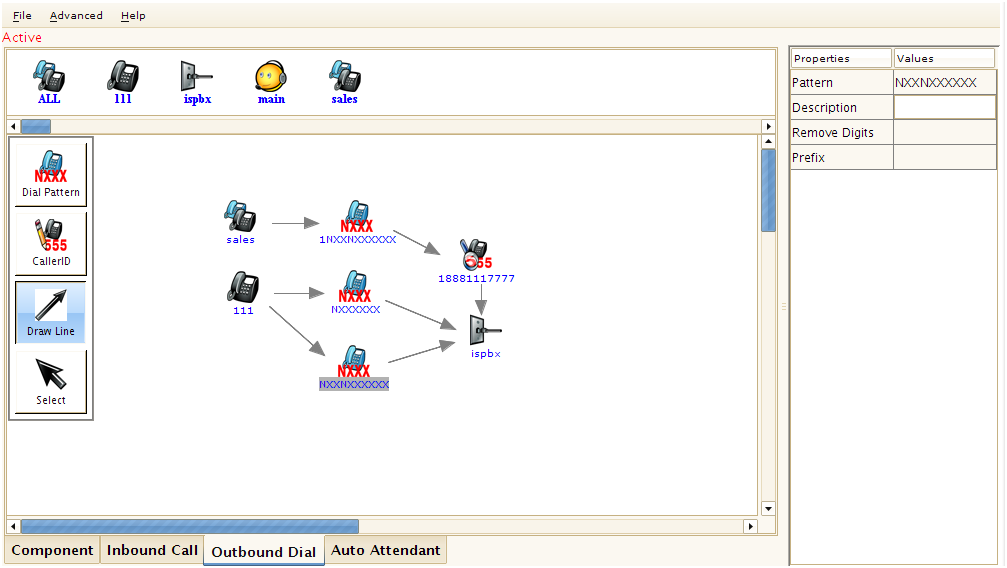
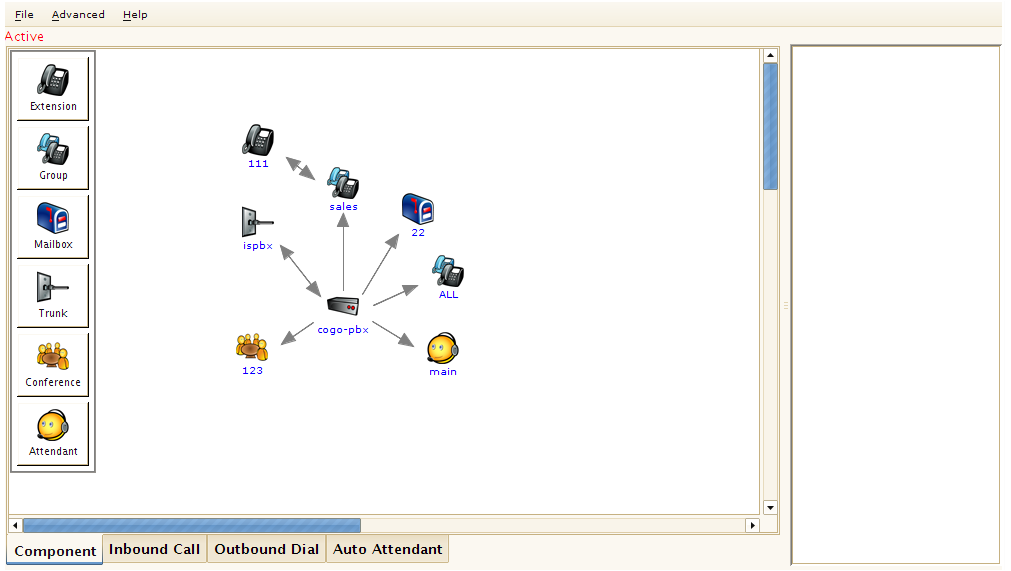
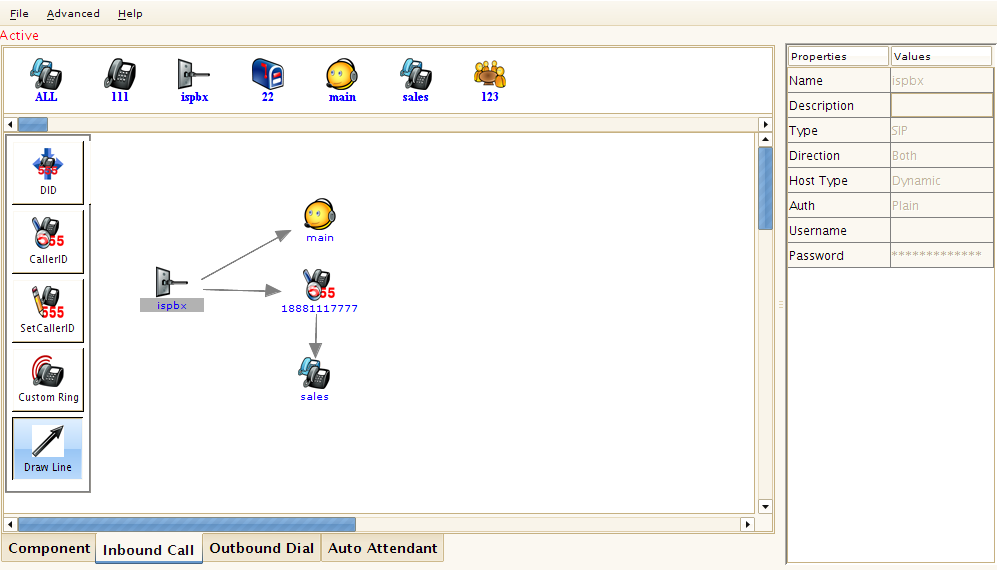
Anyway, according to ISPBX, "Programming a pbx is now as simple as selecting an object and dragging it into the ‘viewing pane’ in the position you want. This includes trunks, handsets, voicemail boxes, ring groups, conference rooms, auto attendants." They went on further to explain:
What this means is that it’s visually impossible to make a mistake. Installations will always be 100% right first time every time; and that when someone is called in to make a “small change” at a later date – there will be no unintended consequences.
All our sleek, compact hardware utilizes solid state, no-moving-parts technology, making it trouble free and energy efficient. No drives, no motors, no failures. Ever. That’s how we can promise the most reliable phone systems in the industry. And none of our equipment requires buying specialized, overpriced phones. Every ISPBX unit supports nearly every VOIP phone on the market or even your easily retrofi tted analog phones. Our entry-level model accommodates 15 simultaneous calls and 30 extensions. It supports any VOIP phone that utilizes SIP protocol (nearly all of them do) or even your existing analog phones with an inexpensive adapter.
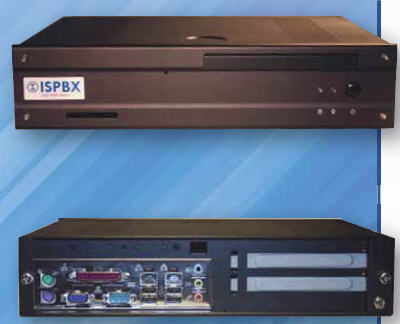
There are several models, including the 500 Series IP-PBX, 800 Series IP-PBX, and the 1000 Series IP-PBX. Here's a picture of the 1000 Series IP-PBX:
Here's some screenshots of this new easy-to-use Asterisk front-end GUI. I have to admit this is one of the prettiest Asterisk front-ends I've seen.
<click any image for larger images>