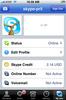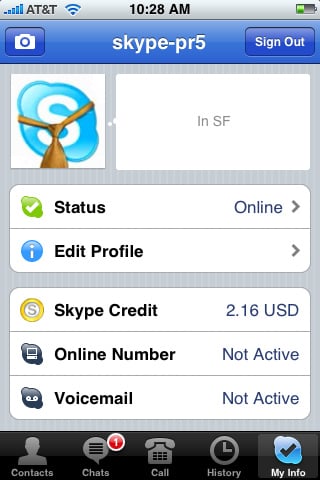
If you are looking to use Skype over 3G, look no further. I found several good tutorials online, but many of them were incomplete, so figured I'd write my own tutorial. As you probably know, Skype by default requires WiFi in order to make calls, but we're going to fix that so you can have some nice Skype over 3G action! 
First, you will need to jailbreak your phone. So if jailbreaking ain't your game, then move along. Second, there was an issue with MobileSubstrate add-ons causing Skype to crash, so lots of Skype iPhone users have been complaining about Skype crashing problems. It isn't Skype's fault. A new version of Mobile Substrate 0.9.2805-1 fixes the problem allowing Mobile Substrate addons to work nicely with Skype.
The key part of this tutorial is that the VoIPover3G string for Skype is: com.skype.skype must be in lowercase and must be added to the VoIPover3G.plist file located in /Library/MobileSubstrate/DynamicLibraries/. It's worth nothing that known extensions/apps that cause Skype to crash include AdvLock, Hood, mcoolphone, and mobilelog. You can check which MobileSubstrate extensions you have running and installed by looking in this same folder, i.e. /Library/MobileSubstrate/DynamicLibraries/
How to Use Skype Over 3G on your iPhone
Requirements: Jailbreaking, VoIPover3G, OpenSSH or DiskAid, and Mobile Substrate
Note: You do not need to install Intelliscreen to ensure your modified VoIPover3G.plist file works. The latest MobileSubstrate makes sure that VoIPover3G is enabled and working properly. Previously, you needed to install Intelliscreen as a workaround, but no more.
1. Jailbreak via QuickPwn.
2. Open Cydia. Search for and install VoIPover3G. This enables you to truck apps that "require" WiFi to also work over your 3G data connection
3. While in Cydia install OpenSSH which will allow you to transfer files from/to the iPhone.
4. Install the latest Mobile Substrate.
5. After all these apps are installed, you should reboot your iPhone.
6. Next, connect your iPhone to your home WiFi network and get the IP address the iPhone was assigned. Click on Settings>WiFi>circuluar blue arrow
7. Pick either DiskAir (option a) or OpenSSH (option b) to modify the iPhone file.
a) DiskAid instructions: (a tool for PCs and Macs which enables to use your iPhone or iPod Touch as external Disk.)
1) Download & install DiskAid
2) Connect iPhone to PC or Mac using USB cable.
3) Drag the /Library/MobileSubstrate/DynamicLibraries/VoIPover3G.plist file to your PC or Mac
4) goto Step 8)
b) OpenSSH (more advanced, but techies love SSH/SCP.
1) Download a SSH/SCP program. For PC users I recommend WinSCP.
2) In WinSCP, make sure to select "SFTP" and enter in this info:
- Server: your iPhone's IP address
- Username: root
- Password: alpine
- Port: 22
3) Click on "Connect", which might take a few seconds to connect to your iPhone.
4) Navigate to: /Library/MobileSubstrate/DynamicLibraries
5) Continue to next step (8.)
8. Double-click VoIPover3G.plist which will open the file.
9. You will likely see the following text within "VoIPover3G.plist"or something very similar:
Filter = {Bundles = ("com.Fringland.Fring", "com.apple.AppStore", "com.audiofile.Interstate", "com.apple.MobileStore");};
Append "com.skype.skype" to the text (with a comma) which will then look like this:
Filter = {Bundles = ("com.Fringland.Fring", "com.apple.AppStore", "com.audiofile.Interstate", "com.apple.MobileStore", "com.skype.skype");};
10. Now save the modified file. If using WinSCP, it will automatically upload back to your iPhone. If using DiskAid, just drag-and-drop the file back onto the iPhone overwriting the old one.
11. Uninstall the Skype app & reboot your iPhone.
12. Reinstall the Skype app from the Apple App Store
And now you will be able to make Skype over 3G calls. Enjoy!
I should point out that MobileSubstrate along with VoIPover3G.plist enables you to install appstore apps larger than 10mb over the 3g and you can use other Voice over IP apps such as Fring over 3G. It even allows ustream to work over 3G - another app restricted to WiFi only. Good stuff!
Good additonal info over at the BigBoss.


Technorati
Del.icio.us
Slashdot
Digg
twitter
This did actually work. Point out / edit your guide so that the user must install Skype at last point. Having it installed before adding Voip made Skype dissapear for a moment.
Thank you.
Nice little write up here. Thanks! It might be time to jail break my iPhone again.
also If you have intelliscreen like I do, you will need to disable it for skype to work.
I followed your steps and this worked on Skype over 3G. Thanks for the tutorial.
That's a great tutorial, thanks. Is skype staying signed in on the background over both 3g and wifi? I have it signed in on the background over 3g but it signs out over wifi. I guess that the reason for this is that wifi radio goes off after a while when the iphone is stand by. If only there was a way to automatically switch to 3g when wifi goes off. Maybe a mobile substrate ad-on could do this. I also mentioned that if I switch between wifi and 3g I get the message that skype works only on wifi when on 3g. Restarting is solving this. Possibly an update in voiceover3g could solve this permanently.
Thanks again
How do you open a plist file in windows...I double clicked...no program to open it. Any suggestions?
Great!!! It's work on my locked 3g iphone as well, thanks. Very great tutorial
superb!
On step 8, my mac is asking what program to use to open VoIPover3G.plist. iTunes and DiskAid are not working. Any ideas?
Joe - just rename the local file as .txt and open in Notepad. Make sure to rename it back to its original extension. Or just launch Notepad and open the plist file directly and save it.
Awesome. Good job. Although when it came to editing the voip file the "com.skype.skype" was already there. But it worked thats all I care about.
I was actually trying to follow all steps but since i didn't bring my USB with me today i wasn't able to.
But thank to matt (april 5 11.47pm)... i decided to give it a try and yes, i disabled my wifi on my iphone to stay on 3G only and i could make a skype call...
I followed steps 2-5
Good luck to you all.
Excellent instructions!! but I have only one problem when attempting to make calls. I am getting the following message: Not Enough Credit You need to Skype credit to call this number. Any advise from any of you?!?!? Thanks in advance.
Christian
Thanks this works perfectly, the most inportant thing which has been mentioned several times, make sure you uninstall Skype and reinstall after you have completed the instructions makes all the difference
have manged to get it to work automatically when I move out of WIFI into 3G switches automatically. also use this in conjuction with Insomnia allows skype to remain running after the iphone is switched off, also recieve normal calls at the same time.
I have been a avid Skype user for around 5 years and now I can use it on the Iphone it adds another dimension.
thanks again
Simon
I have all the applications installed but when I connect through SSH I don't see the /Library/MobileSubstrate/ folder, I just see Library.
Please help
It's not working for me. Skype opens and closes automatically in wifi / 3g both.
My iphone 3g was already jailbroken, i was not having Skype, but having a latest ver of mobile substrate. Still i reinstalled mobilesubstrate, rebooted iphone and finally i installed skype.
When i opened skype, it closes immediatly after showing skype home screen for few seconds. Not sure what might be. Am i missing something...?
I am here in Winnipeg Manitoba Canada..I use Rogers as my 3G provider for my Iphone...I am at 2.2.1 version firmware...can anyone tell me if skype will work on my phone here...I can not get skype for the iphone from the apple apps store as it states not available here in Canada....sos...I would really appreciate some help from any brainiacs ! Can I jailbreak this version of software as well?
It's already there ! com.skype.skype is already written in the code !!
Should we be happy? Or questionning?? =)
thank you all for the useful info. i would like to add that if you download the VoIPOver3G from Cydia now you wont need to do the editing process. it is already done for you. thanks
I did exactly as said in the tutorial, just did not have to edit the file, it was already edited (like M.eve said above), uninstalled Skype, reinstalled and on the startup Skype said that it not works on modified iPhones.
It erased my login data and when I entered it again it worked using my iPhone's EDGE (here where I work there's no 3G network).
Thanks a lot!
I have same thing. The com.skype.skype is already here. But after uninstall/install skype, with 3G, I cannot login my skype account. iphone showed that "No Network Connection". So I tried to login from Wifi, then I logined in. After that I cut off wifi to use 3G. But I still cannot make it. It showed that "you must have Wifi connection".
Anybody can help? Thank you very much.
David
Thank you for the perfect instructions... it is working like a charm... thanks again and keep up with the good work !!
cheers
Aidin
great walkthrough^^
i'm on 3.0 beta 3 jailbroken with qiuckpnw (stable so far)
my problem is that every application i add to VoIPover3G.plist crashes immediately after startup and when i remove them they start functioning perfect.
does anyone know if this is due to the 3.0 OS seeing through the hack or if it's just me doing something wrong?
thx
rosteu
Great, thanks. I have followed loads of other tutorials, all had at least one missing step. yours has them all, great job.
http://iphone.click2creation.com/2009/04/skype-bans-jailbroken-iphones-skype-calls-over-3g-networks-are-currently-not-allowed/
That link is an article on how skype no longer works at all on any jailbroken iphone.
I have a question. Are tese instructions only for use with the iphone?, or do they apply to any 3g phone...?
I ask because I'm thinking of buying a new phone from 3 Mobile in Ireland. They only have 2 Skype-ready phones available in the store and I don't like either of them.
So I was wondering if I could buy a 3g Nokia of my choice and then set it up this way to use Skype. Any advice please...
Skype 1.02 and 1.03 with VoipOver3G 1.02 still won't make calls over 3G. Confirmed the proper PLIST.
Fring also displays a message saying "fring call only available on WiFi".
This iPhone is an Apple unlocked 3G iPhone from Hong Kong running on AT&T 3G SIM.
Ideas?
When using Skype over 3G are users getting charged outgoing minutes, or does skype call you on your phone number thus if you have unlimited incoming calls it's FREE.
Is jailbreaking bad for the phone? Stupid question but my phone is my office and I'd hate for it to go down!
Thnx for showing how to install skype!
Stupid fix. I was missing mobile substrate so of course the voipover3g didn't work. It is almost always user error.
hi i have a quick question. this worked great for me. my question is if i have wifi on and 3g on will it by default use wifi. because if i have wifi available i don't want to use my data. also i was wondering if someone could explain to me how much data a skype call takes or how it uses the data (per a minute, or by a phone call) and how much data is used for 1 minute. i only have a 1 gig limit so i do not want to go over it. thank you.
I am having the same problem. I just want my Skype to work on wifi, but it crashes every time I try to make a phone call.
Ok, guys, everything worked amazingly. I tried to follow instructions, but the Mobile Substrate folder wasn't there. Then somewhere in the comments here it said that VoIPover3G already has com.skype.skype, so I decided to try launching Skype (originally installed before any of the steps in this post, never reinstalled during the procedure), and VOILA - it worked like a charm!! So only install VoIPOver3G, restart iPhone, don't meddle with Skype, and it should work. I hope this helps!
today, may 30th, I jailbroke my 2.2.1 iPhone 3G and Skype still works fine over 3G. It throws up and 'unsupported' warning, but it works!
To the person who said they just wanted Skype to work over WiFi -- you don't need to do ANY of this, except install Skype from the App store.
Now that we are on Firmware 3.0 - I jailbroked the phone using redsn0w & then unlocked using ultrasn0w. Then from Cydia i tried all of the above steps but Skype wouldn't make VoiPover3G calls.
Anybody arrived to a solution on that?
In addition, with the new Push Notification Features in FM 3.0, will we be able to receive calls without putting Skype in the Background all the time?
I have exactly the same issue since upgrading to 3.0
if I don't find a workaround soon, I may have to see if I can revert to the old OS!
Same problem. After upgrade Skype detecting that its 3G not WiFi. Havent upgraded Skype btw.
I did exactly what the writer says, whoo working. but you got to be ver 2.2.1 and Itune 8.
worked like a charm.
voipover3g on firmware 3.0 DO NOT WORK AND THERE IS NO FIX YET
I am on firmware 3.0 as well, someone needs to figure this out for all of us 3.0'ers! Please
Yes, I confirm antonioj's comment, both skype and the app store stopped working completely (even on wifi) on my iPhone 3GS (obviously running firmware 3.0) after installing voipover3g. I reinstalled mobile substrate with a last hope that it would fix the problem but only when i removed voipover3g did these 2 start working again.
Yes , I've tried several times by using Cydia installed Voipover3G and changed the setting as commented, no hope for iPhone 3G v3.0 right now . Waiting for hero developer to come .
No, it does work on iPhone 3G with jailbroken 3.0 software. Install most recent version of Skype thru app store. Launch Cydia and do full update if offered. Install Mobile Substrate. Reboot. Install Voipover3g.Reboot. You DO NOT HAVE TO DO ANY OF THE TERMINAL WORK ANYMORE that is described in this post. It is set correctly automatically.
No, it does not work on iPhone 3G S with jailbroken 3.0 software.
Guys ~ it does work, I am using it now!!
It didn't to begin with, I must have reinstalled mobilebaseband & VOIPover3G several times, but now that I have also updated Skype, it DOES work!!
TIP: don't turn our WiFi off ~ that seems to be the key, now when I move out of a WiFi zone and onto 3G, I can call out on Skype with no problem at all
Does anyone know if Iphone 3gs with jailbroken 3.0 software issue has been fixed? Please post links if anyone has been successful using Skype with this phone? Thanks !
App store crashes on my 3gs after running the instructions aboe, any ideas? Cant reinstall skype
http://www.skype.com/download/skype/iphone/
wonder if that is better or what is the difference.
or can we use this version and make skype calling enable?
"
Most 3G networks should support Skype presence and chat. However, Skype calling is not possible via the iPhone. Please note that data usage costs apply for using Skype over 3G mobile networks, so we recommend an unlimited data plan.
"
i followed your instructions and it is working fine.
Anyone know of a simple guide with specific instructions for a newbie to this interface? My iphone is running 2.2.1, and I would like to install 3.0 and get skpye to work on it, but I feel overwhelmed, any help would be greatly appreciated.
I followed the instructions exactly and this does not work on 3GS. I tried several times using both purplera1n and redsn0w and no luck. Skype wouldn't even work on Wifi afterwards. I had to "Reset" my iphone in order to get Skype working again. Did you do anything different? Please share.
I followed this, and it is working great:
itworks | July 5, 2009 11:54 AM | Reply
No, it does work on iPhone 3G with jailbroken 3.0 software. Install most recent version of Skype thru app store. Launch Cydia and do full update if offered. Install Mobile Substrate. Reboot. Install Voipover3g.Reboot. You DO NOT HAVE TO DO ANY OF THE TERMINAL WORK ANYMORE that is described in this post. It is set correctly automatically.
It works well as maryjolos described , first removed old skype , run cydia ,reboot , install Mobilesubstrate , reboot install Voipover3G , reboot .
I used over EDGE , it did work but not so well .
I have followed your instruction still does not working any time i want to call from skype it crashes even the app store does not working i have installed mobile substrate 0.9.2976-1 and voipover3g 1.0.2 . in order to use skype i have to unistall voippver3g. could you help me to figure out how to use skype over 3g by the way i have iphone 3gs and i tried both redsn0w and purplera1n to jailbreak my iphone.
Has anyone tried this with the 3GS i tried it before but it crashed everything and had to re-jailbreak
If you are new to the iPhone 3GS and stuff, please, do what maryjolos said, it will work perfectly. I tried the whole thing that the post said and it didn't work, Skype was crashing. Then I tried uninstalling and installing stuff and at the end I needed to do a full restore. Do only what maryjolos said then you will be fine.
All,
3G Unrestrictor now replaces VoIPOver3G for iPhone 3.0 firmware.
See post on my blog, enjoy!
- Adam
I just did a jail break , on 3.0 , and I find a much faster way than this.
After Jail Break, go to Cydia and search for: VoIPover3G
Install it, will reset your phone, and you are in. I just installed a skype first did this search on Cydia, and here we go.
Have Fun.
A T H
All I did with my 3gs was jailbreak, install voipover3g, then skype and it worked. Do I have to do all this other stuff u talk about? Seems to be working well. I just can't download over 10 mbs on AppStore but that doesn't matter as I use installous
Yep. No need for all the hoops. Just install voipover3g, restart and then install skype.
I installed mobile substrate through cydia and now my iphone is frozen on the complete screen and says reloading data......it wont let me do anything and i cant even switch iphone off. HELP PLEASE
Got it to work. did the jailbreak again, and this time just installed voipover 3g, restarted iphone, then installed skype, restarted iphone and now i can over edge 3d etc. i also installed backgrounder and it all works perfectly so i can recieve skype when i dont have the app open :-D
I cant get this thing to work! Cant find the application in Cydia. If I reinstall it will I remove my applications?
WELL, WITH THE LAST UPDATE OF VOLPOVER3G, YOU DON'T NEED TO DO THIS ANYMORE. WHAT YOU ONLY HAVE TO DO IS:
1) JAILBREAKING IPHONE
2) INSTALL MOBILE SUBSCRIBE
3) INSTALL VOLPOVER3G
THATS IT
YOU ARE DONE!!!
ENJOY IT!!
hi, i have got skype working, so thanks for the tutorial. i am using 3gs. can anyone advise on how i can keep skype running in the background? everytime i come away from it the software closes down. is there a way to keep it logged in?
There is a program called 3G unrestrictor which can be downloaded from Cydia. What the program does is fools the phone into thinking it's connected to wifi when actually it's connected to 3G. Works perfectly with skype, will work with other programs too.
Rob
Thanks for the post Rob..I have an iphone 32g 3gs...I have skype on it now and it works great with wifi,...your post says I can use "unrestrictor" to fool my phone into making calls over my 3g network....do I need to do anything else other than downloading that program?...your help would be appreciated....yes I am a nuuuby to this....Cheers !
I was a newbie as well but its really simple. All i did when i jailbroke my iphone was install voipover3g from cydia and then you have to reinstall skype from app store and all works perfectly fine. I have been making flawless skype calls to the US from UK over 3G and even Egde and its perfectly clear.
Your phone has to be jailbroken, cydia needs to be installed, then install unrestrictor. Open unrestrictor and choose which installed apps you want to unrestricted. Turn wifi off, switch onto 3g and use skype.
Rob
i did as it was described above. the call actually works but the quality is horrible - i cant understand a word even though my signal strength is at max - any suggestions? (from germany)
Okay, any idea how to trick the witel app for the iphone to connect over 3G instead of wifi. I installed Voipover3G and updated the VoIPover3G.plist file in notepad to the following:
Filter = {Bundles = ("com.Fringland.Fring", "com.skype.skype", "com.mailvision.witel");};
Any suggestions (since this did not trick the witel app to connect via 3G)
For all the dutch guys and girls, it works.
jailbreak met cydia
install via cydia; voipover3g, openssh en mobile substrate.
Volg de rest en alles werkt
It works perfect,
Many thanx
Some of these posters are real stupid. It has been stated several times by replies in this blog that the 3G Unrestrictor is the premium successor of the popular VoIPover3G app for the iPhone. Therefore the VoIPover3G is not longer needed!
On July the 19th 2009, Adam Jacobs clearly stated "All,
3G Unrestrictor now replaces VoIPOver3G for iPhone 3.0 firmware.
See post on my blog, enjoy!"
Yet, peeps from all over the place keep insisting to install and recommending to install VoIPover3G.
Plus, the 3G Unrestrictor is idiot proof and you don't have to SSH anything. If fact when you open it, you can choose to which apps you want to fool into believing that it's on wi-fi when in fact its on 3G.
Here are some of the apps proven to work:
Skype
Slingplayer
YouTube
AppStore
iTunes Store
Nimbuzz
Fring
Truphone
FriendCaller
SipPhone
to mame4iphone: Actually people are NOT stupid--they just don't work for 3gUnrestrictor developers (do you??!)
VoIPOver3G is FREE, 3g unrestrictor costs $. VoIPOver3G is also idiot proof--you don't have to SSH anything in the new version available on cydia. It works well...I just did it on my iphone 3g version 3.1.2
Excellent and really comprehensive procedure.
It worked straight as it was described here.
Thx for this tutorial.
how did you manage to make it do that simon? if you could add to the article your info it would be great, im sure everyone who wants to use skype over 3g would love to know how to get it to use wifi and 3g automatically
I can successfuly jailbreak my 3gs but after it keeps saying that sim as sent a text message. does this then 3 times in a row then says ME failure (cancel) (accept). what is going on? Is the sim tring to tell my provider what im up to? Once I get to the diskaid part i do not the /libary in the root folder. If i restart diskaid it says iphone must have done jailbreak to see root dir. Any tips? Is this because itunes is starting and interfering?