
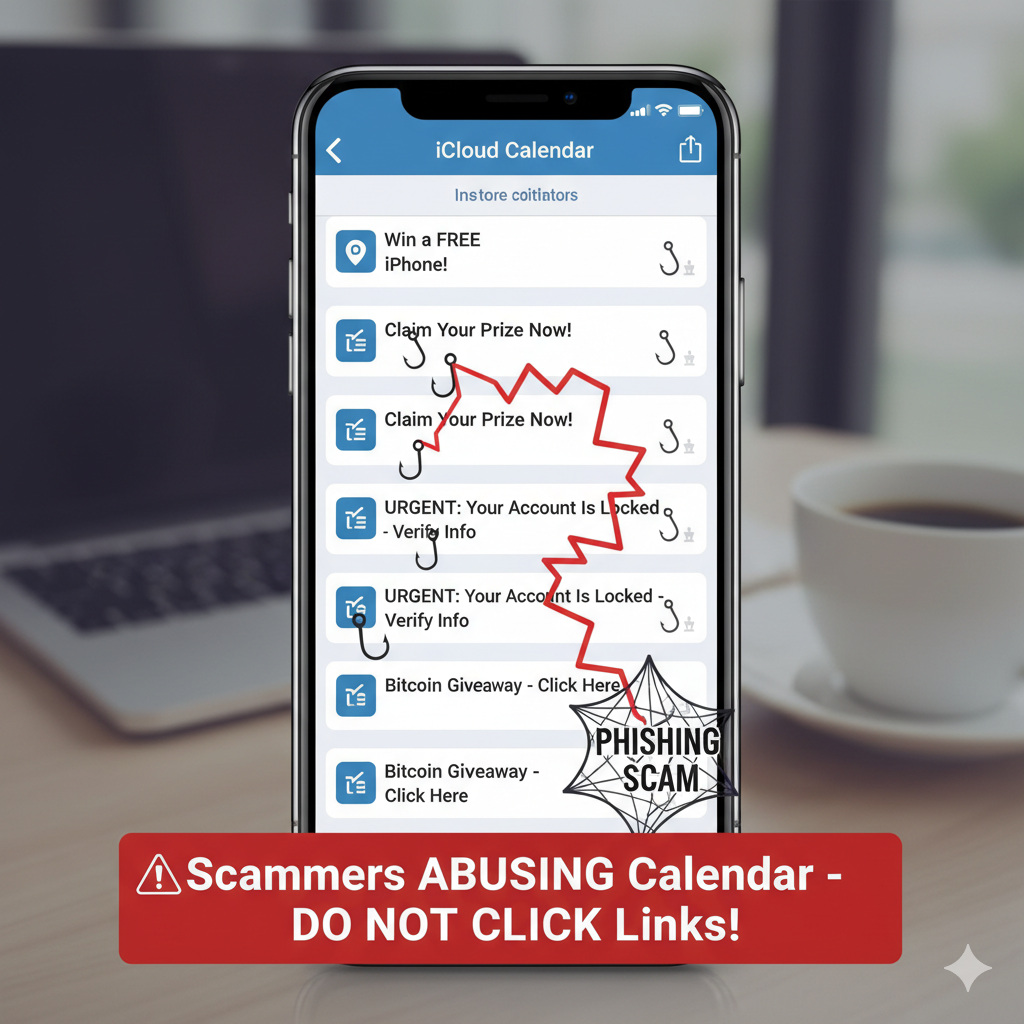
Takeaways
- Cybercriminals are abusing Apple’s iCloud calendar infrastructure to sneak phishing content past spam filters.
- These invites appear to come from official Apple domains, making them seem more credible.
- Attackers aim to trick recipients into calling fake support lines or granting remote access.
- The safest response is to ignore unexpected calendar alerts and verify any suspicious activity via official channels.
Phishing attacks are getting smarter—and more insidious. The latest twist: scammers are using iCloud calendar invites as their delivery vehicle. By embedding malicious content into event invitations sent from Apple’s own domains, they’re sidestepping spam protections and making it harder for users to spot the red flags.
Here’s how the scheme works and what you should watch out for.
How the iCloud calendar phishing campaign operates
Instead of sending a typical phishing email—which might be blocked or flagged as suspicious—attackers exploit Apple’s infrastructure to send calendar invites. The invites appear as though they’re coming from [email protected], a trusted source, which helps them slip past security filters.
In the “Notes” section of these invites, the scammers insert a false alert—often claiming that a large PayPal transaction occurred without the user’s authorization. A phone number is included for disputing the transaction. This number connects to a fake support line run by the scammer.
In some cases, these invites are first sent to an email the attacker controls, then forwarded to multiple real users. Microsoft 365’s handling of forwarded messages uses a rewriting system that maintains sender authentication mechanics like SPF (Sender Policy Framework). This prevents the forwarded message from getting flagged as spoofed, meaning the invite still looks genuine—even though it’s part of a phishing campaign.
Once a victim calls the number, the scammer may pose as Apple or PayPal support and ask the user to download remote access software or divulge account credentials. From there, they can install malware, steal financial data, or otherwise exploit the compromised device.
Why this tactic is especially dangerous
What sets this attack apart is the veneer of legitimacy. Because the invites are delivered via Apple’s own mail servers, many users won’t question their authenticity. The subject and tone of the invite—about an urgent payment dispute or account issue—are designed to cause panic and trigger impulsive reactions.
Moreover, traditional phishing guards like spam filters or suspicious sender detection tools struggle to spot this kind of message. It’s not coming from a random, unknown address. It’s coming through a trusted domain—and that makes the attack more effective.
How to defend yourself
There’s no ironclad method to block every attack, but adopting smart habits can dramatically reduce your risk.
- Treat unexpected calendar invites with skepticism.
If you didn’t ask for the event, especially one with ominous language or financial claims, don’t respond. Official organizations rarely issue urgent alerts via calendar invites. - Never call numbers embedded in the invite.
Always go to the company’s verified support channels or official website. If you’re concerned about a transaction, log into your account directly rather than dialing the phone number in the message. - Use dependable antivirus or security software.
These tools help catch malicious links, warn about dangerous websites, and block malware downloads. Staying current with virus definitions is critical. - Limit the exposure of your personal data.
Remove or opt out of data broker listings and public directories. The less information fraudsters have about you, the harder it is to craft convincing social engineering attacks. - Rely on a password manager and unique passwords.
If an account was ever leaked, reuse of the same password elsewhere is a vector for compromise. A password manager also helps you monitor whether your credentials appear in breach databases. - Keep software updated.
Hackers often exploit unpatched vulnerabilities. Regular updates to your OS, browser, and apps reduce your surface area for attack.
What to do if you think you’ve been targeted
- Don’t call the number listed in the invite.
- Do change your passwords for accounts that might have been compromised.
- Run a security scan on your device.
- Check your browser and system for unauthorized remote access tools.
- Report the invite to Apple or your email provider’s abuse or phishing team.
The rise of phishing via calendar invites is a sign that attackers will keep evolving. As security tools adapt, the tactics shift. Vigilance, skepticism, and following safe online practices are the best defenses.

If you liked this post, you’ll love one of the the leading global business communications and technology events since 1999, the ITEXPO #TECHSUPERSHOW, Feb 10-12, 2026 Fort Lauderdale, Florida.
Don’t forget the collocated MSP Expo – just for managed service providers!
Aside from his role as CEO of TMC and chairman of ITEXPO #TECHSUPERSHOW Feb 10-12, 2026, Rich Tehrani is CEO of RT Advisors and a Registered Representative (investment banker) with and offering securities through Four Points Capital Partners LLC (Four Points) (Member FINRA/SIPC). He handles capital/debt raises as well as M&A. RT Advisors is not owned by Four Points.
The above is not an endorsement or recommendation to buy/sell any security or sector mentioned. No companies mentioned above are current or past clients of RT Advisors.
The views and opinions expressed above are those of the participants. While believed to be reliable, the information has not been independently verified for accuracy. Any broad, general statements made herein are provided for context only and should not be construed as exhaustive or universally applicable.
Portions of this article may have been developed with the assistance of artificial intelligence, which may have contributed to ideation, content generation, factual review, or editing